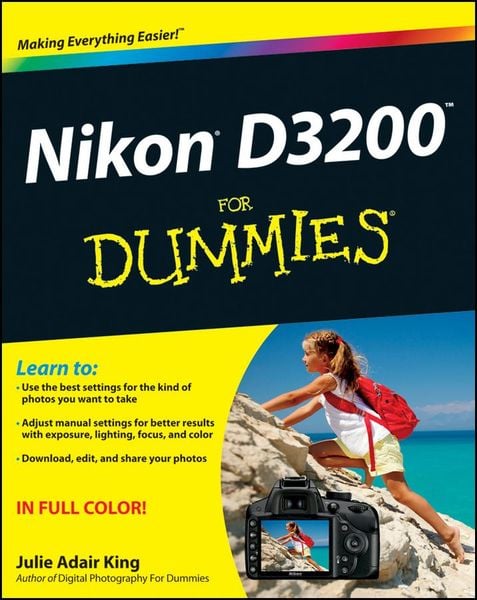
Produktbild: Nikon D3200 For Dummies

Nikon D3200 For Dummies

32,99 €

inkl. gesetzl. MwSt., Versandkostenfrei


Beschreibung

Produktdetails

Einband

Taschenbuch

Erscheinungsdatum

10.08.2012

Verlag

John Wiley & Sons

Seitenzahl

400

Maße (L/B/H)

23,3/18,7/2,5 cm

Gewicht

922 g

Auflage

1. Auflage

Sprache

Englisch

ISBN

978-1-118-44683-6

Beschreibung

Produktdetails

Einband

Taschenbuch

Erscheinungsdatum

10.08.2012

Verlag

John Wiley & Sons

Seitenzahl

400

Maße (L/B/H)

23,3/18,7/2,5 cm

Gewicht

922 g

Auflage

1. Auflage

Sprache

Englisch

ISBN

978-1-118-44683-6

Herstelleradresse

Libri GmbH
Europaallee 1
36244 Bad Hersfeld
DE

Email: gpsr@libri.de

Ein neues Kapitel für Ihre Bücher

Ein neues Kapitel für Ihre Bücher

Schenken Sie Ihren alten Schätzen ein zweites Leben und erhalten dafür eine Thalia Geschenkkarte.

Jetzt verkaufen
Jetzt verkaufen

Noch keine Bewertungen vorhanden

Verfassen Sie die erste Bewertung zu diesem Artikel

Helfen Sie anderen Kundinnen und Kunden durch Ihre Meinung.

Kundinnen und Kunden meinen

Bewertungen (0)

Die Leseprobe wird geladen.
  • Produktbild: Nikon D3200 For Dummies
  • Introduction 1

    A Quick Look at What's Ahead 1

    Part I: Fast Track to Super Snaps 1

    Part II: Working with Picture Files 2

    Part III: Taking Creative Control 2

    Part IV: The Part of Tens 2

    Icons and Other Stuff to Note 2

    eCheat Sheet 3

    Practice, Be Patient, and Have Fun! 4

    Part I: Fast Track to Super Snaps 5

    Chapter 1: Getting the Lay of the Land 7

    Getting Comfortable with Your Lens 8

    Attaching a lens 8

    Removing a lens 10

    Setting the focus mode (auto or manual) 10

    Zooming in and out 12

    Using a VR (Vibration Reduction) lens 12

    Adjusting the Viewfinder Focus 13

    Working with Memory Cards 15

    Exploring External Camera Controls 18

    Topside controls 18

    Back-of-the-body controls 20

    Front-left buttons 23

    Front-right features 24

    Hidden connections 24

    Ordering from Camera Menus 25

    Using the guided menus 26

    Ordering off the main menus 31

    Monitoring Shooting Settings 33

    Changing Settings Using the Information Display 35

    Displaying Help Screens 36

    Customizing Your Camera: Setup Menu Options 37

    Restoring Default Settings 44

    Chapter 2: Choosing Basic Picture Settings 47

    Choosing an Exposure Mode 48

    Choosing the Release Mode 50

    Single Frame and Quiet Shutter Release modes 52

    Continuous (burst mode) shooting 52

    Self-timer shooting 54

    Wireless remote-control modes 55

    Adding Flash 56

    Enabling flash 57

    Setting the Flash mode 58

    Choosing the Right Quality Settings 61

    Diagnosing quality problems 62

    Considering image size: How many pixels are enough? 63

    Understanding Image Quality options (JPEG or Raw) 67

    My take: Choose JPEG Fine or Raw (NEF) 72

    Setting Image Size and Quality 73

    Chapter 3: Taking Great Pictures, Automatically 77

    Setting Up for Automatic Success 78

    As Easy As It Gets: Auto and Auto Flash Off 82

    Taking Advantage of Scene Modes 86

    Getting More Creative with Guide Mode 90

    Chapter 4: Exploring Live View Photography and Movie Making 97

    Using Your Monitor as a Viewfinder 98

    Live View safety tips 99

    Customizing the Live View display 103

    Focusing in Live View Mode 105

    Choosing the right focusing pairs 110

    Autofocusing in Live View and Movie mode 111

    Manual focusing for Live View and movie photography 113

    Shooting Still Pictures in Live View Mode 114

    Shooting Digital Movies 116

    Choosing the video mode (NTSC or PAL) 116

    Setting video quality (frame size, frame rate, and bit rate) 117

    Controlling audio 120

    Manipulating movie exposure 123

    Reviewing a few final recording options 124

    Recording a movie 125

    Screening Your Movies 127

    Trimming Movies 129

    Saving a Movie Frame as a Still Image 132

    Part II: Working with Picture Files 135

    Chapter 5: Playback Mode: Viewing, Erasing, and Protecting Photos 137

    Customizing Basic Playback Options 138

    Adjusting playback timing 138

    Adjusting and disabling instant image review 139

    Enabling automatic picture rotation 139

    Viewing Images in Playback Mode 141

    Viewing multiple images at a time (thumbnails view) 143

    Displaying photos in Calendar view 144

    Choosing which images to view 146

    Zooming in for a closer view 146

    Viewing Picture Data 148

    File Information mode 150

    Highlights display mode 152

    RGB Histogram mode 153

    Shooting Data display mode 156

    GPS Data mode 157

    Overview Data mode 157

    Deleting Photos and Movies 159

    Deleting fi les one at a time 159

    Deleting all photos and movies 160

    Deleting a batch of selected fil