Beschreibung
Produktdetails
Einband
Taschenbuch
Erscheinungsdatum
04.09.2012
Abbildungen
Illustrationen, nicht spezifiziert
Verlag
MCGRAW-HILL ProfessionalSeitenzahl
368
Maße (L/B/H)
23,5/19,1/2 cm
Gewicht
640 g
Sprache
Englisch
ISBN
978-0-07-180249-9
Publisher's Note: Products purchased from Third Party sellers are not guaranteed by the publisher for quality, authenticity, or access to any online entitlements included with the product.
Take your MacBook Air to new heights!
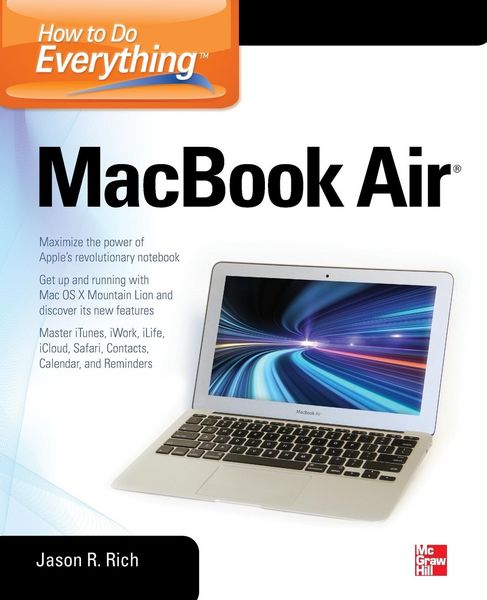
Discover how to get more than ever before out of Apple's incredibly thin and light notebooks with help from this hands-on guide. How to Do Everything: MacBook Air shows you how to harness the power of the new Mac OS X Mountain Lion operating system, and use iTunes, iWork, iLife, iCloud, Safari, Contacts, Calendar, Reminders, Notification Center, Mail, and other powerful apps. Tap into all the computing power built into Apple's ultra-portable MacBook Air while you're at home, at work, or on-the-go.
- Custom configure your MacBook Air and navigate with the Multi-Touch trackpad
- Get the most out of the new Mac OS X Mountain Lion operating system
- Transfer data from a PC or another Mac
- Manage your email accounts with the Mail app
- Sync all of your data and devices via iCloud
- Connect peripherals-Bluetooth devices, printers, cameras, and more
- Use your MacBook Air to connect to Facebook, Twitter, Google+, Flickr, Tumblr, LinkedIn, and other services
- Maximize productivity tools, such as Microsoft Office and the iWork apps
- Download and play movies, TV shows, and games
- Manage your iTunes Library
- Get organized with the new Contacts, Calendar, and Reminders apps
- Communicate efficiently using the Messages app
- Video chat with FaceTime or Skype
- Run Microsoft Windows programs on your MacBook Air
- Update, back up, troubleshoot, and maintain your MacBook Air
Ein neues Kapitel für Ihre Bücher
Ein neues Kapitel für Ihre Bücher
Schenken Sie Ihren alten Schätzen ein zweites Leben und erhalten dafür eine Thalia Geschenkkarte.
Noch keine Bewertungen vorhanden
Verfassen Sie die erste Bewertung zu diesem Artikel
Helfen Sie anderen Kundinnen und Kunden durch Ihre Meinung.
Kurze Frage zu unserer Seite
Vielen Dank für Ihr Feedback
Wir nutzen Ihr Feedback, um unsere Produktseiten zu verbessern. Bitte haben Sie Verständnis, dass wir Ihnen keine Rückmeldung geben können. Falls Sie Kontakt mit uns aufnehmen möchten, können Sie sich aber gerne an unseren Kund*innenservice wenden.
zum Kundenservice