Beschreibung
Produktdetails
ISBN
978-1-118-95179-8
Auflage
1. Auflage
Erscheinungsdatum
09.02.2015
Einband
Taschenbuch
Verlag
John Wiley & SonsSeitenzahl
288
Maße (L/B/H)
23,5/19,1/1,6 cm
Gewicht
543 g
Sprache
Englisch
The complete beginner's guide to Python, for young people who want to start today
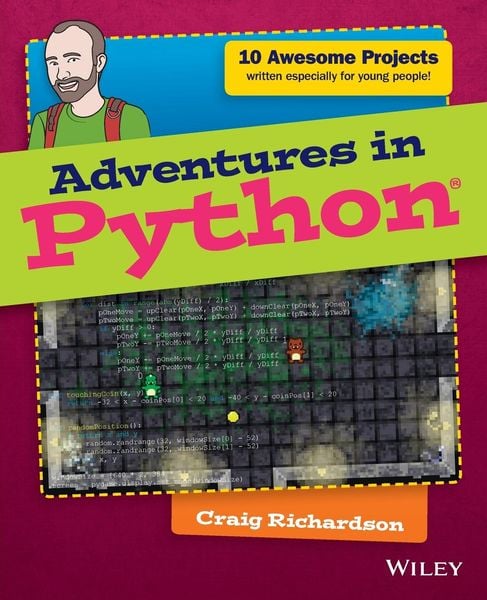
Adventures in Python is designed for 11-to 15-year olds who want to teach themselves Python programming, but don't know where to start. Even if you have no programming experience at all, this easy to follow format and clear, simple instruction will get you up and running quickly. The book walks you through nine projects that teach you the fundamentals of programming in general, and Python in particular, gradually building your skills until you have the confidence and ability to tackle your own projects. Video clips accompany each chapter to provide even more detailed explanation of important concepts, so you feel supported every step of the way.
Python is one of the top programming languages worldwide, with an install base in the millions. It's a favourite language at Google, YouTube, the BBC, and Spotify, and is the primary programming language for the Raspberry Pi. As an open-source language, Python is freely downloadable, with extensive libraries readily available, making it an ideal entry into programming for the beginner. Adventures in Python helps you get started, giving you the foundation you need to follow your curiosity.
* Start learning Python at its most basic level
* Learn where to acquire Python and how to set it up
* Understand Python syntax and interpretation for module programming
* Develop the skills that apply to any programming language
Python programming skills are invaluable, and developing proficiency gives you a head start in learning other languages like C++, Objective-C, and Java. When learning feels like fun, you won't ever want to stop - so get started today with Adventures in Python.
Adventures in Python is designed for 11-to 15-year olds who want to teach themselves Python programming, but don't know where to start. Even if you have no programming experience at all, this easy to follow format and clear, simple instruction will get you up and running quickly. The book walks you through nine projects that teach you the fundamentals of programming in general, and Python in particular, gradually building your skills until you have the confidence and ability to tackle your own projects. Video clips accompany each chapter to provide even more detailed explanation of important concepts, so you feel supported every step of the way.
Python is one of the top programming languages worldwide, with an install base in the millions. It's a favourite language at Google, YouTube, the BBC, and Spotify, and is the primary programming language for the Raspberry Pi. As an open-source language, Python is freely downloadable, with extensive libraries readily available, making it an ideal entry into programming for the beginner. Adventures in Python helps you get started, giving you the foundation you need to follow your curiosity.
* Start learning Python at its most basic level
* Learn where to acquire Python and how to set it up
* Understand Python syntax and interpretation for module programming
* Develop the skills that apply to any programming language
Python programming skills are invaluable, and developing proficiency gives you a head start in learning other languages like C++, Objective-C, and Java. When learning feels like fun, you won't ever want to stop - so get started today with Adventures in Python.
Noch keine Bewertungen vorhanden
Verfassen Sie die erste Bewertung zu diesem Artikel
Helfen Sie anderen Kundinnen und Kunden durch Ihre Meinung.
Kurze Frage zu unserer Seite
Vielen Dank für Ihr Feedback
Wir nutzen Ihr Feedback, um unsere Produktseiten zu verbessern. Bitte haben Sie Verständnis, dass wir Ihnen keine Rückmeldung geben können. Falls Sie Kontakt mit uns aufnehmen möchten, können Sie sich aber gerne an unseren Kund*innenservice wenden.
zum Kundenservice