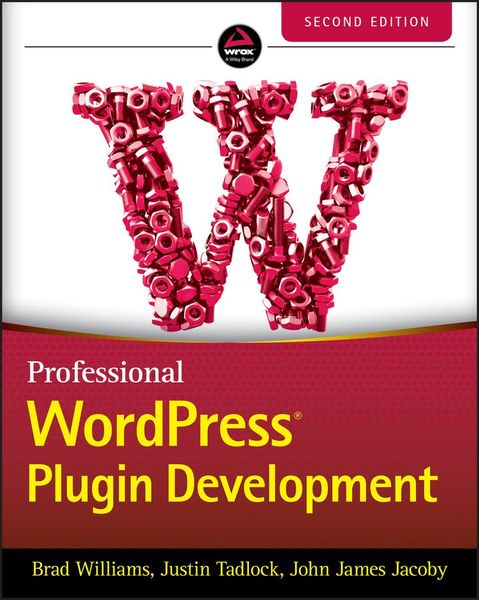
Professional Wordpress Plugin Development
-
- Hardcover
- Taschenbuch ausgewählt
- eBook
-
Sprache:Englisch
-
Verlag:John Wiley & Sons
46,99 €
inkl. gesetzl. MwSt.,
Beschreibung
Produktdetails
Einband
Taschenbuch
Erscheinungsdatum
10.06.2020
Verlag
John Wiley & SonsSeitenzahl
480
Maße (L/B/H)
23,6/19/2,7 cm
Gewicht
891 g
Auflage
2nd edition
Sprache
Englisch
ISBN
978-1-119-66694-3
This significantly updated edition of Professional WordPress Plugin Development addresses modern plugin development for WordPress, the highly popular content management system (CMS). If you're using WordPress to create and manage websites, WordPress plugins are the software that can extend or enhance CMS functionality. This book offers guidance on writing plugins for WordPress sites to share or sell to other users.
The second edition of Professional WordPress Plugin Development covers the building of advanced plugin development scenarios. It discusses the plugin framework and coding standards as well as dashboards, settings, menus, and related application programming interfaces (APIs). Additional topics include security, performance, data validation, and SQL statements.
* Learn about the power of hooks in WordPress
* Discover how JavaScript and Ajax will work in your site
* Understand key technologies: Block Editor/Gutenberg, JS/React, PHP, and the REST API
* Create and use custom post types and taxonomies.
* Creating custom dashboard menus and plugin settings
* Work with users and user data
* Schedule tasks and utilizing Cron
* Performance and security considerations
Written by experienced plugin developers, Professional WordPress Plugin Development also helps you internationalize and localize your WordPress website. Find out about debugging systems and optimizing your site for speed. As WordPress use continues to increase, you can elevate your professional knowledge of how to extend WordPress through plugins.
Ein neues Kapitel für Ihre Bücher
Ein neues Kapitel für Ihre Bücher
Schenken Sie Ihren alten Schätzen ein zweites Leben und erhalten dafür eine Thalia Geschenkkarte.
Noch keine Bewertungen vorhanden
Verfassen Sie die erste Bewertung zu diesem Artikel
Helfen Sie anderen Kundinnen und Kunden durch Ihre Meinung.
Kurze Frage zu unserer Seite
Vielen Dank für Ihr Feedback
Wir nutzen Ihr Feedback, um unsere Produktseiten zu verbessern. Bitte haben Sie Verständnis, dass wir Ihnen keine Rückmeldung geben können. Falls Sie Kontakt mit uns aufnehmen möchten, können Sie sich aber gerne an unseren Kund*innenservice wenden.
zum Kundenservice