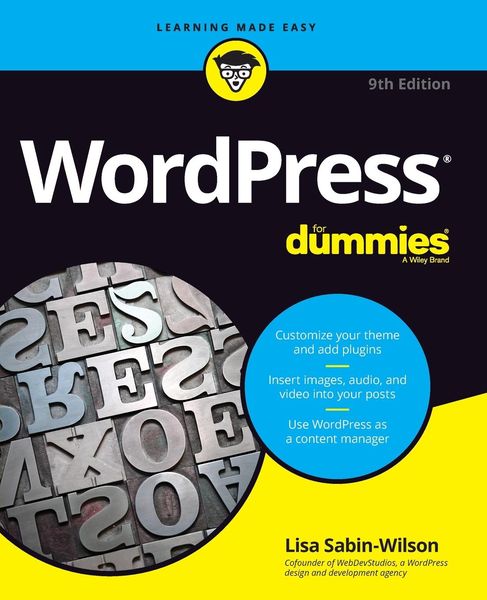
Produktbild: WordPress For Dummies, 9th Edition

WordPress For Dummies, 9th Edition

Aus der Reihe For Dummies

32,99 €

inkl. gesetzl. MwSt., Versandkostenfrei


Beschreibung

Produktdetails

Einband

Taschenbuch

Erscheinungsdatum

18.12.2020

Verlag

John Wiley & Sons

Seitenzahl

482

Maße (L/B/H)

23,5/19,1/2,6 cm

Gewicht

910 g

Auflage

9. Auflage

Sprache

Englisch

ISBN

978-1-119-69697-1

Beschreibung

Produktdetails

Einband

Taschenbuch

Erscheinungsdatum

18.12.2020

Verlag

John Wiley & Sons

Seitenzahl

482

Maße (L/B/H)

23,5/19,1/2,6 cm

Gewicht

910 g

Auflage

9. Auflage

Sprache

Englisch

ISBN

978-1-119-69697-1

Herstelleradresse

Libri GmbH
Europaallee 1
36244 Bad Hersfeld
DE

Email: gpsr@libri.de

Ein neues Kapitel für Ihre Bücher

Ein neues Kapitel für Ihre Bücher

Schenken Sie Ihren alten Schätzen ein zweites Leben und erhalten dafür eine Thalia Geschenkkarte.

Jetzt verkaufen
Jetzt verkaufen

Noch keine Bewertungen vorhanden

Verfassen Sie die erste Bewertung zu diesem Artikel

Helfen Sie anderen Kundinnen und Kunden durch Ihre Meinung.

Kundinnen und Kunden meinen

Bewertungen (0)

Die Leseprobe wird geladen.
  • Produktbild: WordPress For Dummies, 9th Edition
  • Foreword xiii

    Introduction 1

    About This Book 2

    Foolish Assumptions 2

    Icons Used in This Book 3

    Beyond the Book 4

    Where to Go from Here 4

    Part 1: Introducing WordPress 5

    Chapter 1: What WordPress Can Do for You 7

    Discovering the Benefits of WordPress 8

    Getting set up the fast and easy way 9

    Extending WordPress's capabilities 9

    Taking part in the community 11

    Choosing a WordPress Platform 12

    Chapter 2: WordPress Basics 17

    Shining the Spotlight on WordPress 17

    Dipping Into WordPress Technologies 19

    Archiving your publishing history 19

    Interacting with your readers through comments 21

    Feeding your readers 22

    Tracking back 23

    Dealing with comment and trackback spam 24

    Using WordPress as a Content Management System 25

    Exploring the differences between a website and a blog 25

    Viewing examples of blogs and websites 26

    Moving On to the Business of Publishing 27

    Part 2: Setting Up WordPress 29

    Chapter 3: Setting Up Your WordPress Base Camp 31

    Establishing Your Domain 32

    Understanding domain name extensions 32

    Considering the cost of a domain name 33

    Registering your domain name 33

    Finding a Home for Your Website 34

    Getting help with hosting WordPress 35

    Dealing with disk space and bandwidth 36

    Understanding Secure File Transfer Concepts 38

    Setting up SFTP on your hosting account 39

    Connecting to the web server via SFTP 42

    Transferring files from point A to point B 46

    Editing files via SFTP 47

    Changing file permissions 48

    Installing WordPress 50

    Exploring Preinstalled WordPress 51

    Installing WordPress manually 53

    Setting up the MySQL database 53

    Uploading the WordPress files 55

    Last step: Running the installation script 57

    Logging In to the Dashboard 66

    Navigating the Dashboard 67

    Welcome to WordPress! 69

    Site Health 70

    At a Glance 71

    Activity 72

    Quick Draft 73

    WordPress Events and News 73

    Arranging the Dashboard to Your Tastes 74

    Finding Inline Documentation and Help 76

    Setting Options in the Dashboard 78

    Configuring the Settings 79

    General 79

    Writing 83

    Reading 85

    Discussion 86

    Media 93

    Permalinks 94

    Privacy 95

    Creating Your Personal Profile 97

    Setting Your Site's Format 100

    Posts 100

    Media 101

    Pages 101

    Comments 102

    Appearance 102

    Plugins 104

    Users 104

    Tools 105

    Chapter 5: Establishing Your Publishing Routine 107

    Staying on Topic with Categories 107

    Changing the name of a category 108

    Creating new categories and deleting others 111

    Examining a Post's Address: Permalinks 113

    Making your post links pretty 114

    Customizing your permalinks 115

    Making sure that your permalinks work with your server 117

    Discovering the Many WordPress RSS Options 119

    Writing Your First Entry 120

    Using the Block Editor 122

    Discovering available blocks 123

    Inserting new blocks 131

    Configuring block settings 134

    Refining Your Post Options 149

    Publishing Your Post 153

    Being Your Own Editor 154

    Look Who's Talking on Your Site 155

    Managing comments and trackbacks 155

    Moderating comments and trackbacks 157

    Tackling spam with Akismet 158

    Part 3: Flexing and Extending WordPress 159

    Chapter 6: Media Management: Images, Audio, a