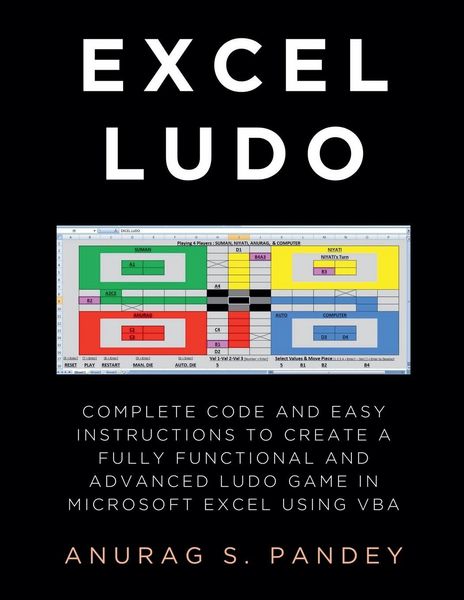
AI-powered Excel Ludo Complete Code and Easy Instructions to Create a Fully Functional, Advanced and AI-powered Ludo Game in Microsoft Excel using VBA
-
- Englisch ausgewählt
13,99 €
inkl. gesetzl. MwSt.,
Beschreibung
Produktdetails
Einband
Taschenbuch
Erscheinungsdatum
09.02.2025
Verlag
Anurag PandeySeitenzahl
96
Maße (L/B/H)
28/21,6/0,6 cm
Gewicht
266 g
Sprache
Englisch
EAN
9798230423089
This book contains over 1900 lines of code and easy instructions to create a Ludo board game. This book not only helps in developing Ludo game but is also a source to learn coding, logic building and Excel VBA. Students in class six and up, including those pursuing BCA and MCA, can benefit from this book. Professionals who use Excel will also find it helpful. Therefore, you should buy this book if you are one of them or if such professionals and students are in your family. Additionally, you ought to tell your friends and family about this. Warning: While creating Ludo game board, the code of this book deletes and modifies Sheet data!!! So please do not use code of this book in work file or important file. Please create New Excel File (Macro Enabled Workbook) and use code of this book there. Want to make Fully Functional Advanced Ludo Board Game in Microsoft Excel and play with friends and computers players? You can do that very easily. You need to create a Macro Enabled Workbook (.xlsm) file in Ms Excel. Then open the Visual Basic Editor by pressing Alt + F11 or by going to the Developer tab and clicking on Visual Basic button. Double click on any sheet in the project explorer of the Visual Basic Editor, which will open the code editor of that sheet. In that code editor, type or copy and paste the complete code provided in this book. And it's just done! Now you can close the Visual Basic Editor. Return to Excel, go to the same sheet and either press Alt + F8 or click the Macros button in the Developer tab. The Excel Ludo board game will be created quickly as you run the "CREATELUDO" macro. This Excel Ludo Board Game can be played by a minimum of one player and a maximum of four players. This game can be played by computer players, by humans, or by both computer and human players together. The computer player will not leave a single chance to kill the pieces of other players. The computer player can also hit two to three pieces simultaneously. If the computer player's die numbers are 6+6+3 and one of its pieces has other players' pieces on its sixth, twelfth and fifteenth house, then the computer player will kill all the three pieces in one move. A computer player can use its various pieces to strike other players' pieces in a move. If in a move several pieces of other players are going to be killed by different pieces of the computer player, then the computer player will select those pieces and kill them which have reached closest to the destination. ActiveX buttons and other ActiveX controls are not used in this game. CREATELUDO Macro is part of the code provided in this book. If Project Explorer is not displayed in Visual Basic Editor, select Project Explorer from the View menu on the main menu. If the Developer tab is hidden then click the Office Button, click Excel Options, select Popular, check the box labelled "Show Developer tab in the Ribbon", and then click OK.
Ein neues Kapitel für Ihre Bücher
Ein neues Kapitel für Ihre Bücher
Schenken Sie Ihren alten Schätzen ein zweites Leben: Einfach Barcode scannen, Versandetikett ausdrucken, Bücher verschicken und Thalia Geschenkkarte erhalten.
Jetzt verkaufenNoch keine Bewertungen vorhanden
Verfassen Sie die erste Bewertung zu diesem Artikel
Helfen Sie anderen Kundinnen und Kunden durch Ihre Meinung.
Kurze Frage zu unserer Seite
Vielen Dank für Ihr Feedback
Wir nutzen Ihr Feedback, um unsere Produktseiten zu verbessern. Bitte haben Sie Verständnis, dass wir Ihnen keine Rückmeldung geben können. Falls Sie Kontakt mit uns aufnehmen möchten, können Sie sich aber gerne an unseren Kund*innenservice wenden.
zum Kundenservice