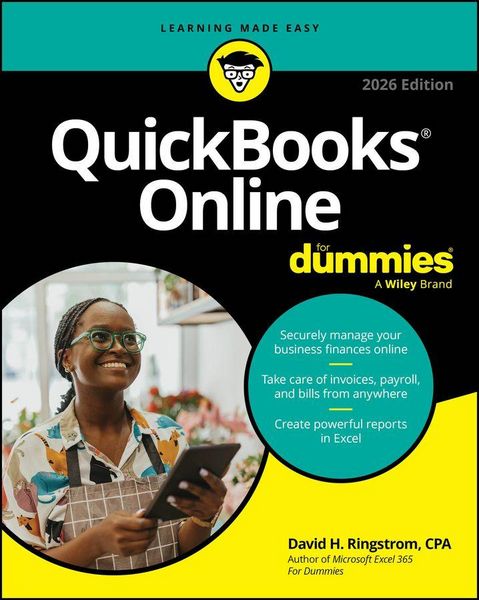
QuickBooks Online For Dummies, 2026 Edition
-
- Taschenbuch ausgewählt
- eBook
-
Sprache:Englisch
27,99 €
inkl. gesetzl. MwSt.,
Beschreibung
Produktdetails
Einband
Taschenbuch
Erscheinungsdatum
20.11.2025
Verlag
WileySeitenzahl
400
Maße (L/B/H)
23,4/18,7/2,7 cm
Gewicht
742 g
Auflage
10. Auflage
Sprache
Englisch
ISBN
978-1-394-36717-7
Step-by-step guidance on the latest version of the popular cloud accounting app
QuickBooks Online For Dummies, 2026 Edition helps you save time and money. This beginner-friendly guide walks you through the basic setup of the online accounting software. Plus, this resource provides detailed guidance on key features, so you know how to navigate your financial data with ease. With QuickBooks Online For Dummies, 2026 Edition, you'll discover how to use any device to: view and update records, create invoices, record sales, pay bills, manage inventory, print checks, process payroll, prepare tax returns, balance accounts, generate financial reports, and beyond. Best of all? Everything's backed up in the cloud, so you'll get the peace of mind that comes with secure data. Use this Dummies guide to get up and running with QuickBooks Online.
Inside:
- Make the switch to QuickBooks Online, or set up your business finances from scratch
- Get easy-to-follow instructions for accessing your data remotely and saving time with automated features
- Understand the new interface and the latest features, including Project Center and AI integration
- Stay on top of your budget, your taxes, and your reporting requirements
QuickBooks Online is easy to use for any type of business, and QuickBooks Online For Dummies makes it even easier.
Ein neues Kapitel für Ihre Bücher
Ein neues Kapitel für Ihre Bücher
Schenken Sie Ihren alten Schätzen ein zweites Leben: Einfach Barcode scannen, Versandetikett ausdrucken, Bücher verschicken und Thalia Geschenkkarte erhalten.
Jetzt verkaufenNoch keine Bewertungen vorhanden
Verfassen Sie die erste Bewertung zu diesem Artikel
Helfen Sie anderen Kundinnen und Kunden durch Ihre Meinung.
Kurze Frage zu unserer Seite
Vielen Dank für Ihr Feedback
Wir nutzen Ihr Feedback, um unsere Produktseiten zu verbessern. Bitte haben Sie Verständnis, dass wir Ihnen keine Rückmeldung geben können. Falls Sie Kontakt mit uns aufnehmen möchten, können Sie sich aber gerne an unseren Kund*innenservice wenden.
zum Kundenservice