Adobe Creative Suite AIO Dsk Ref FD
-
- Taschenbuch ausgewählt
- eBook
-
Sprache:Englisch
33,99 €
inkl. gesetzl. MwSt.,
Beschreibung
Produktdetails
Verkaufsrang
46445
Einband
Taschenbuch
Erscheinungsdatum
27.02.2004
Verlag
John Wiley & SonsSeitenzahl
748
Maße (L/B/H)
23,5/19,1/4 cm
Gewicht
1370 g
Sprache
Englisch
ISBN
978-0-7645-5601-2
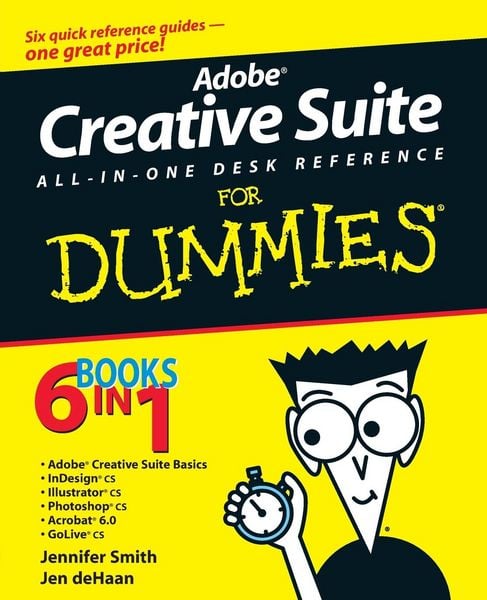
Well, relax. Adobe Creative Suite All-In-One Desk Reference For Dummies® has you-and all those programs-covered. Five minibooks walk you through setting up and using the tools, while the sixth shows you how they all work together. And this single volume will remain a handy reference long after you gain proficiency with the entire suite:
InDesign for page layout
Illustrator for creating art and graphics
Photoshop, the world's favorite image editing program
Acrobat, to share files across different operating systems and develop interactive forms
GoLive for building innovative Web pages
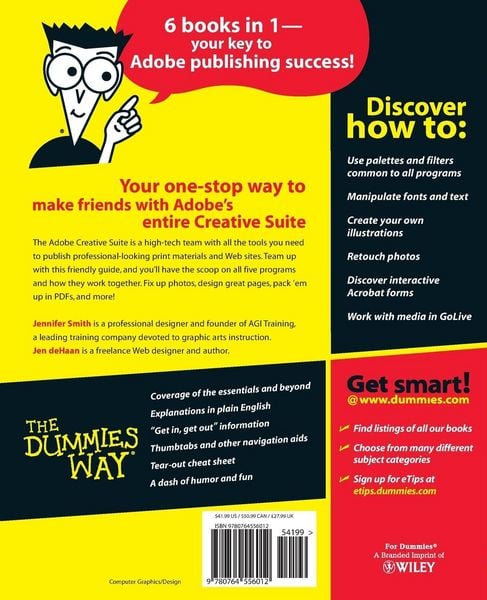
Even if you plan to use only one or two of these elements now, Adobe Creative Suite All-In-One Desk Reference For Dummies® is an outstanding resource. Find out what you need to know today, and when you're ready to tackle the next tool, just turn to that minibook and away you go. These are only a few of the skills you'll discover:
Create a professional-looking page with InDesign, import Photoshop and Illustrator graphics to enliven it, and preserve it in a PDF file
Design a logo for your business with Illustrator and give it 3D effects
Save Illustrator files in a variety of Web-compatible formats, including GIF, HTML, and even Macromedia® Flash SWF
Correct photo color and edit your images in Photoshop
Plan an entire Web site for maximum impact, then save hours of work by using GoLive's templates, components, and libraries
Use Acrobat to create PDFs that include MP3 audio, video or SWF files
Whether your goal is to design newsletters, a full-size book, an e-commerce Web site, or just about anything else, Adobe's Creative Suite plus Adobe Creative Suite All-In-One Desk Reference For Dummies® will help you get the job done.
Ein neues Kapitel für Ihre Bücher
Ein neues Kapitel für Ihre Bücher
Schenken Sie Ihren alten Schätzen ein zweites Leben und erhalten Sie dafür eine Thalia Geschenkkarte.
Noch keine Bewertungen vorhanden
Verfassen Sie die erste Bewertung zu diesem Artikel
Helfen Sie anderen Kundinnen und Kunden durch Ihre Meinung.
Kurze Frage zu unserer Seite
Vielen Dank für Ihr Feedback
Wir nutzen Ihr Feedback, um unsere Produktseiten zu verbessern. Bitte haben Sie Verständnis, dass wir Ihnen keine Rückmeldung geben können. Falls Sie Kontakt mit uns aufnehmen möchten, können Sie sich aber gerne an unseren Kund*innenservice wenden.
zum Kundenservice