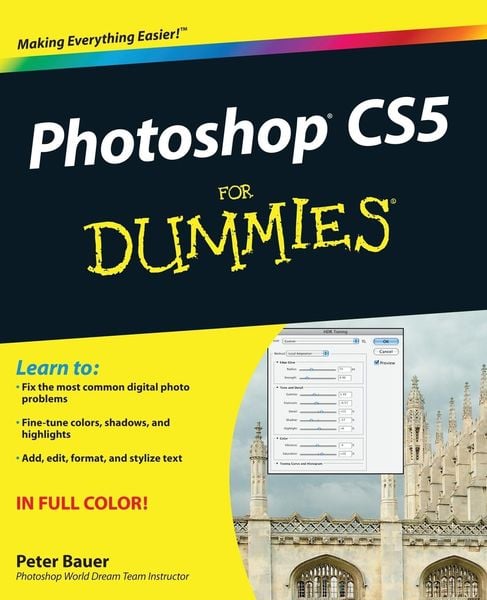
• Produktbild: Photoshop Cs5 for Dummies
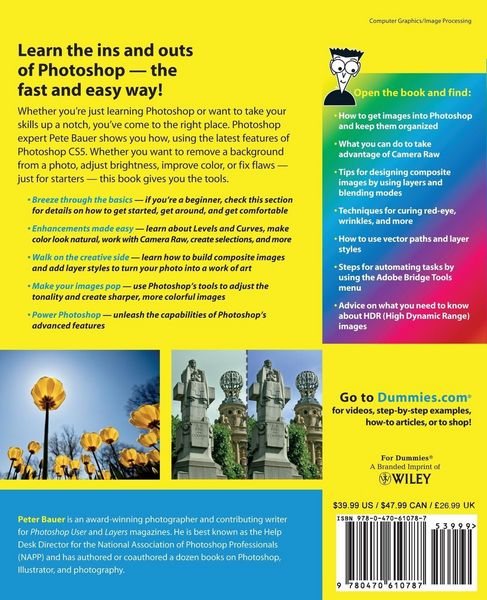
  • Produktbild: Photoshop Cs5 for Dummies

Photoshop Cs5 for Dummies

37,99 €

inkl. gesetzl. MwSt., Versandkostenfrei


Beschreibung

Produktdetails

Einband

Taschenbuch

Erscheinungsdatum

10.05.2010

Verlag

Wiley

Seitenzahl

432

Maße (L/B/H)

23,5/19,1/2,3 cm

Gewicht

805 g

Sprache

Englisch

ISBN

978-0-470-61078-7

Beschreibung

Produktdetails

Einband

Taschenbuch

Erscheinungsdatum

10.05.2010

Verlag

Wiley

Seitenzahl

432

Maße (L/B/H)

23,5/19,1/2,3 cm

Gewicht

805 g

Sprache

Englisch

ISBN

978-0-470-61078-7

Herstelleradresse

Libri GmbH
Europaallee 1
36244 Bad Hersfeld
DE

Email: GPSR Kontakt

Ein neues Kapitel für Ihre Bücher

Ein neues Kapitel für Ihre Bücher

Schenken Sie Ihren alten Schätzen ein zweites Leben: Einfach Barcode scannen, Versandetikett ausdrucken, Bücher verschicken und Thalia Geschenkkarte erhalten.

Jetzt verkaufen
Jetzt verkaufen

Noch keine Bewertungen vorhanden

Verfassen Sie die erste Bewertung zu diesem Artikel

Helfen Sie anderen Kundinnen und Kunden durch Ihre Meinung.

Kundinnen und Kunden meinen

Bewertungen (0)

Die Leseprobe wird geladen.
  • Produktbild: Photoshop Cs5 for Dummies
  • Produktbild: Photoshop Cs5 for Dummies
  • Introduction.

    Part I: Breezing through Basic Training.

    Chapter 1: Welcome to Photoshop!

    Chapter 2: Knowing Just Enough about Digital Images.

    Chapter 3: Taking the Chef's Tour of Your Photoshop Kitchen.

    Chapter 4: Getting Images into and out of Photoshop.

    Part II: Easy Enhancements for Digital Images.

    Chapter 5: Adding Dark Shadows and Sparkling Highlights.

    Chapter 6: Making Color Look Natural.

    Chapter 7: The Adobe Camera Raw 6 Plug-In.

    Chapter 8: Fine-Tuning Your Fixes.

    Chapter 9: Common Problems and Their Cures.

    Part III: Creating "Art" in Photoshop.

    Chapter 10: Combining Images.

    Chapter 11: Precision Edges with Vector Paths.

    Chapter 12: Dressing Up Images with Layer Styles.

    Chapter 13: Giving Your Images a Text Message.

    Chapter 14: Painting in Photoshop.

    Chapter 15: Filters: The Fun Side of Photoshop.

    Part IV: Power Photoshop.

    Chapter 16: Streamlining Your Work in Photoshop.

    Chapter 17: Introducing Photoshop CS5 Extended.

    Part V: The Part of Tens.

    Chapter 18: Pete's Top Ten Favorite Photoshop Tips and Tricks.

    Chapter 19: Ten Reasons to Love Your Wacom Tablet.

    Chapter 20: Ten Things to Know about HDR.

    Index.