Gutscheinbedingungen

Gültig bis 13.07.2026 | Gültig für Spielzeug (außer Tonieboxen & ausgewählte Tonies), Filme, Musik, Software, Games, Schreibwaren, Hörbücher und Hörbuch-Downloads (außer Abo & Shelfies), gebrauchte Bücher, nicht preisgebundene Bücher und Kalender | Einlösbar unter thalia.de und in der Thalia App | Click & Collect nur mit Online-Zahlung (Paypal/Kreditkarte) vorab | Einzelne Artikel können ausgeschlossen sein | Nicht kombinierbar mit anderen Gutscheinen oder Preisaktionen | Nur einmal pro Einkauf einlösbar | Gutschein wird auf max. 500€ Bestellwert angerechnet | Keine Barauszahlung | Digitale Hörbücher nur für Android | Nicht gültig für preisgebundene Artikel (aufgrund der Buchpreisbindung sind Gutscheine nicht auf Bücher, eBooks, Presse einlösbar), tolino eReader & Zubehör, Elektronik, Geschenke & Trends, Abonnements & Flatrates, Geschenkkarten, Versandkosten und Services

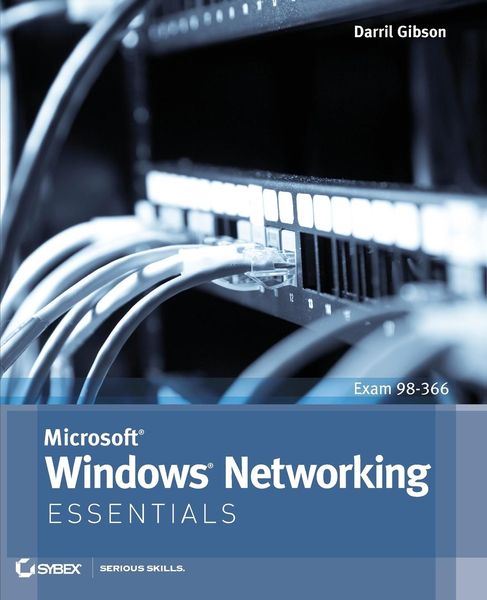
  • Produktbild: Microsoft Windows Networking Essentials
  • Produktbild: Microsoft Windows Networking Essentials

Microsoft Windows Networking Essentials Exam 98-366

37,99 €

inkl. gesetzl. MwSt., Versandkostenfrei


Beschreibung

Produktdetails

Einband

Taschenbuch

Erscheinungsdatum

02.05.2011

Verlag

John Wiley & Sons Inc

Seitenzahl

368

Maße (L/B/H)

23,5/19,1/2,1 cm

Gewicht

834 g

Auflage

1. Auflage

Sprache

Englisch

ISBN

978-1-118-01685-5

Beschreibung

Produktdetails

Einband

Taschenbuch

Erscheinungsdatum

02.05.2011

Verlag

John Wiley & Sons Inc

Seitenzahl

368

Maße (L/B/H)

23,5/19,1/2,1 cm

Gewicht

834 g

Auflage

1. Auflage

Sprache

Englisch

ISBN

978-1-118-01685-5

Herstelleradresse

Libri GmbH
Europaallee 1
36244 Bad Hersfeld
DE

Email: gpsr@libri.de

Ein neues Kapitel für Ihre Bücher

Ein neues Kapitel für Ihre Bücher

Schenken Sie Ihren alten Schätzen ein zweites Leben: Einfach Barcode scannen, Versandetikett ausdrucken, Bücher verschicken und Thalia Geschenkkarte erhalten.

Jetzt verkaufen
Jetzt verkaufen

Noch keine Bewertungen vorhanden

Verfassen Sie die erste Bewertung zu diesem Artikel

Helfen Sie anderen Kundinnen und Kunden durch Ihre Meinung.

Kundinnen und Kunden meinen

Bewertungen (0)

Die Leseprobe wird geladen.
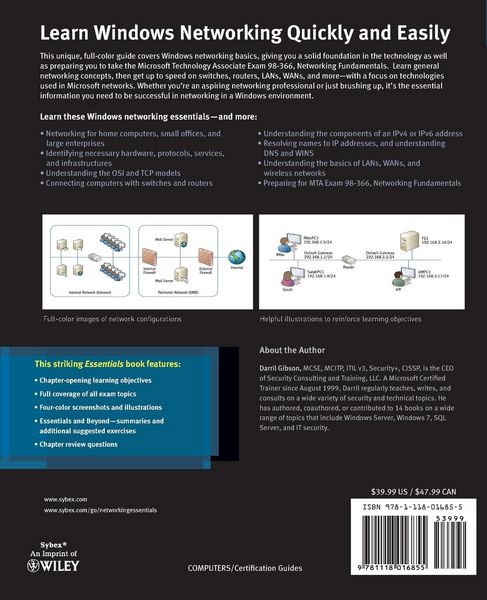
  • Produktbild: Microsoft Windows Networking Essentials
  • Produktbild: Microsoft Windows Networking Essentials
  • Introduction xix

    Chapter 1 Introduction to Networking 1

    Comparing Logical and Physical Networks 1

    Networking Home Computers 2

    Networking Small Offices and Home Offices 4

    Understanding Local Area Networks 6

    Comparing Workgroups and Domains 7

    Exploring the Benefits of Domains and Domain Controllers 9

    Networking Large Offices 10

    Networking Enterprises 12

    Understanding Wide Area Networks 12

    Understanding Branch Offices 13

    Accessing Networks Remotely 14

    Understanding Standards Organizations 15

    Understanding the Internet Engineering Task Force 16

    Understanding the World Wide Web Consortium 17

    Understanding the Institute of Electrical and Electronics Engineers 18

    Understanding the International Telecommunication Union 18

    The Essentials and Beyond 18

    Chapter 2 Overview of Networking Components 21

    Comparing Unicast, Broadcast, and Multicast Traffic 21

    Understanding Unicast Traffic 22

    Understanding Broadcast Traffic 23

    Understanding Multicast Traffic 25

    Understanding Network Hardware 26

    Understanding Hubs 27

    Understanding Switches 28

    Understanding Bridges 29

    Understanding Routers 30

    Understanding Firewalls 32

    Understanding Media 34

    Exploring Protocols and Services 36

    Exploring Protocols 36

    Understanding Services 37

    Understanding Basic Topologies 38

    The Essentials and Beyond 39

    Chapter 3 Understanding the OSI Model 41

    Understanding the OSI Model 41

    Application Layer 43

    Presentation Layer 44

    Session Layer 45

    Transport Layer 46

    Network Layer 48

    Data Link Layer 49

    Physical Layer 52

    Putting It Together 52

    Packets and Frames 53

    Understanding the TCP/IP Model 55

    Mapping Devices on the OSI and TCP Models 56

    Physical Layer 58

    Data Link Layer 59

    Network Layer 59

    Application Layer 60

    Mapping Protocols on the OSI and TCP/IP Models 60

    The Essentials and Beyond 61

    Chapter 4 Core TCP/IP Protocols 63

    Understanding TCP and UDP 63

    Exploring TCP 64

    Exploring UDP 66

    Exploring Common Protocols 67

    Address Resolution Protocol 67

    Hypertext Transfer Protocol 68

    File Transfer Protocol 69

    Trivial File Transfer Protocol 71

    Telnet 71

    Remote Desktop Services 71

    Secure Sockets Layer 72

    Transport Layer Security 72

    Secure Shell 73

    Internet Protocol Security 74

    Simple Mail Transfer Protocol 74

    Post Office Protocol v3 75

    Internet Message Access Protocol 75

    Lightweight Directory Access Protocol 76

    Kerberos 77

    Point-to-Point Tunneling Protocol 77

    Layer 2 Tunneling Protocol 77

    Simple Network Management Protocol 78

    Internet Group Multicast Protocol 78

    Internet Control Message Protocol 78

    Understanding Ports 79

    Controlling Port Traffic with a Firewall 81

    Mapping Internally Used Ports and Protocols 81

    The Essentials and Beyond 83

    Chapter 5 Exploring IPv4 85

    Exploring the Components of an IPv4 Address 85

    Ascertaining the Network ID and Host ID of an IP Address 86

    Identifying the Default Gateway 90

    Determining Local and Remote Addresses 91

    Understanding Classful IP Addresses 92

    Identifying Reserved IP Address Ranges 94

    Exploring an IPv4 Address in Binary 95

    Understanding the Bits of an IP Address 95

    Understanding CIDR Notation 98

    Masking the IP Address 98

    Using Classless IP Addresses 100

    Subnetting IPv4 Addresses 100

    Determining the Number of Subnet Bits 101

    Determining the Number of Hosts in a Network 103

    Identifying Local and Remote Addresses 105

    Applying Subnetting Knowledge 107

    Comparing Manual and Automatic Assignment of IPv4 Addresses 110

    Manually Configuring IPv4 110

    Using DHCP 110

    Understanding APIPA 112

    The Essentials and Beyond 113

    Chapter 6 Exploring IPv6 117

    Exploring IPv6 Addresses 117

    Comparing IPv4 Classes and IPv6 Prefixes 118

    Understanding Hexadecimal 119

    Displaying IPv6 Addresses 120

    Comparing IPv6 Transmission Types 121

    Understanding the Need for IPv6 122

    Understanding Neighbor Discovery 122

    Exploring the Components of an IPv6 Address 123

    Understanding Global Unicast Addresses 124

    Understanding Link-Local Addresses 125

    Understanding Unique Local Addresses 126

    Understanding the Dual IP Stack 127

    Using IPv4-Mapped IPv6 Addresses 127

    Understanding IPv4 to IPv6 Tunneling Protocols 128

    Comparing Manual and Automatic Assignment of IPv6 129

    Manually Configuring IPv6 129

    Using DHCPv6 130

    The Essentials and Beyond 131

    Chapter 7 Connecting Computers to a Network 133

    Identifying Potential Problems with Connectivity 133

    Understanding EMI 134

    Understanding RFI 134

    Avoiding Power Spikes 134

    Avoiding Interception 137

    Preventing Fire Hazards 142

    Understanding Cross Talk 142

    Exploring Cable Types and Their Characteristics 144

    Understanding Twisted Pair 144

    Comparing Unshielded and Shielded Twisted Pair 146

    Comparing Straight-Through and Crossover Cables 146

    Understanding Fiber Optic 147

    Understanding Wireless 149

    The Essentials and Beyond 150

    Chapter 8 Networking Computers with Switches 153

    Connecting Multiple Computers 153

    Understanding Physical Ports 156

    Identifying the Number and Type of Ports 156

    Identifying Ports in Drawings 157

    Comparing Hubs and Switches 158

    Understanding Collision Domains 159

    Identifying a Collision Domain with a Hub 159

    Identifying Collision Domains with a Switch 160

    Mapping Ports to MAC Addresses 161

    Comparing Managed and Unmanaged Switches 162

    Understanding Unmanaged Switches 163

    Understanding Managed Switches 163

    Comparing Layer 2 and Layer 3 Switches 164

    Using a Managed Switch to Create a VLAN 164

    Exploring Switch Speeds 167

    Identifying Transmission Speeds 168

    Understanding the Uplink Port 169

    Identifying Backplane Speed 170

    Understanding Security Options 170

    Understanding Port Security 171

    Planning Hardware Redundancy 171

    The Essentials and Beyond 172

    Chapter 9 Connecting Networks with Routers 175

    Connecting Multiple Networks 175

    Comparing Hardware Routers and Software Routers 177

    Understanding Default Routes 177

    Understanding Directly Connected Routes 179

    Routing Traffic on a Network 180

    Creating Static Routes 180

    Configuring Dynamic Routing 182

    Understanding the Routing Table185

    Identifying Transmission Speeds 187

    Routing Software in Windows Server 2008 188

    Adding Routing Services to Windows Server 2008 188

    Configuring a Router on Windows Server 2008 190

    Understanding Other Routing Protocols 192

    Using a DHCP Relay Agent 193

    Using an IGMP Router and Proxy 194

    Using NAT 195

    The Essentials and Beyond 195

    Chapter 10 Resolving Names to IP Addresses 197

    Exploring Types of Names Used in Networks 197

    Understanding Host Names 199

    Understanding NetBIOS Names 199

    Creating NetBIOS Names from Host Names 202

    Viewing and Modifying a Computer Name 203

    Exploring Types of Name Resolution 204

    Understanding Domain Naming Service 205

    Viewing the Host Cache 210

    Viewing the Hosts File 211

    Understanding WINS 212

    Viewing the NetBIOS Cache 213

    Understanding the Lmhosts File 214

    Understanding Broadcast Name Resolution 214

    Understanding Link-Local Multicast Name Resolution 214

    Identifying the Steps in Name Resolution 215

    Identifying Steps in Host Name Resolution 215

    Identifying Steps in NetBIOS Name Resolution 216

    The Essentials and Beyond 217

    Chapter 11 Understanding Network Security Zones 219

    Understanding Risks on the Internet 219

    Exploring an Intranet 221

    Understanding Network Address Translation 222

    Understanding Proxy Servers 224

    Understanding Firewalls 227

    Exploring the Windows Server 2008 Firewall 229

    Identifying a Perimeter Network 232

    Understanding a Reverse Proxy Server 233

    Understanding Guest Networks 234

    Understanding Extranets 235

    The Essentials and Beyond 236

    Chapter 12 Understanding Wireless Networking 239

    Exploring Basic Wireless Components 239

    Using Wireless Access Points 240

    Naming the Wireless Network 241

    Comparing CSMA/CD and CSMA/CA 243

    Comparing Networking Standards and Characteristics 243

    Comparing FHSS, DSSS, and OFDM 244

    IEEE 802 11 245

    IEEE 802 11a 246

    IEEE 802 11b 247

    IEEE 802 11g 247

    IEEE 802 11n 248

    Comparing Network Security Methods 248

    Wired Equivalent Privacy 249

    Wi-Fi Protected Access 251

    WPA2 252

    Using an IEEE 802 1x Authentication Server 253

    Using Wireless Networks 254

    Home Wireless Networks 255

    Wireless Networks in a Business 258

    Understanding Point-to-Point Wireless 259

    The Essentials and Beyond 261

    Chapter 13 Understanding Internet Access Methods and Wide Area Networks 263

    Comparing Connectivity Methods Used in Homes and SOHOs 263

    Using a Dial-up Connection 264

    Connecting with DSL 265

    Employing Broadband Cable 266

    Connecting via Satellite 267

    Comparing Connectivity Methods in Enterprises 269

    Exploring Digital Signal Lines 271

    Using ISDN 271

    Using T1/T3 Lines and E1/E3 Lines 272

    Ethernet WAN 273

    Exploring Remote Access Services 273

    Connecting to RAS via Dial-up 274

    Connecting to RAS via a VPN 276

    Comparing Client VPNs with Gateway VPNs 278

    Adding Remote Access Services to Windows Server 2008 278

    Using RADIUS 279

    The Essentials and Beyond 280

    Chapter 14 Troubleshooting TCP/IP 283

    Using the Command Prompt 283

    Getting Help at the Command Prompt 284

    Using Switches 285

    Understanding Case Sensitivity 285

    Checking the TCP/IP Configuration with ipconfig 287

    Troubleshooting Connectivity with ping 291

    Identifying Routers with tracert 295

    Verifying the Routed Path with pathping 297

    Viewing TCP/IP Statistics with netstat 299

    Installing Telnet 304

    The Essentials and Beyond 306

    Appendix A Answers to Review Questions 309

    Chapter 1 309

    Chapter 2 310

    Chapter 3 310

    Chapter 4 311

    Chapter 5 312

    Chapter 6 312

    Chapter 7 313

    Chapter 8 314

    Chapter 9 314

    Chapter 10 315

    Chapter 11 316

    Chapter 12 316

    Chapter 13 317

    Chapter 14 317

    Appendix B Microsoft's Certification Program 319

    Certification Objectives Map 320

    Index 325