














































KI-Beratung Beta

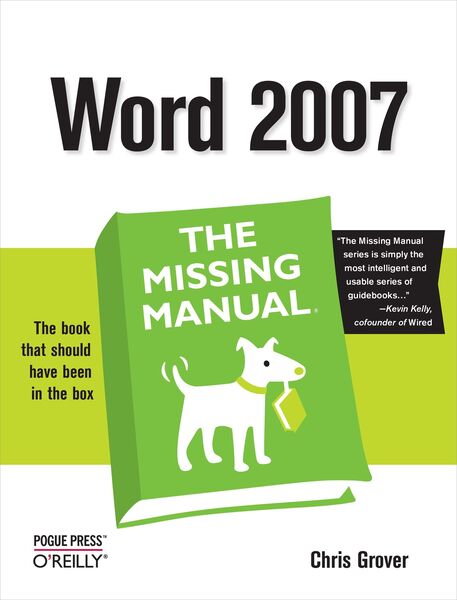
Produktbild: Word 2007: The Missing Manual

Word 2007: The Missing Manual

29,99 €

inkl. gesetzl. MwSt., Versandkostenfrei


Produktdetails

Einband

Taschenbuch

Erscheinungsdatum

30.01.2007

Abbildungen

w. numerous figs.

Verlag

O'Reilly Media

Seitenzahl

522

Maße (L/B/H)

23,6/18/2,4 cm

Gewicht

741 g

Sprache

Englisch

ISBN

978-0-596-52739-6

Produktdetails

Einband

Taschenbuch

Erscheinungsdatum

30.01.2007

Abbildungen

w. numerous figs.

Verlag

O'Reilly Media

Seitenzahl

522

Maße (L/B/H)

23,6/18/2,4 cm

Gewicht

741 g

Sprache

Englisch

ISBN

978-0-596-52739-6

Herstelleradresse

Libri GmbH
Europaallee 1
36244 Bad Hersfeld
DE

Email: gpsr@libri.de

Ein neues Kapitel für Ihre Bücher

Ein neues Kapitel für Ihre Bücher

Schenken Sie Ihren alten Schätzen ein zweites Leben und erhalten Sie dafür eine Thalia Geschenkkarte.

Jetzt verkaufen
Jetzt verkaufen

Noch keine Bewertungen vorhanden

Verfassen Sie die erste Bewertung zu diesem Artikel

Helfen Sie anderen Kundinnen und Kunden durch Ihre Meinung.

Kundinnen und Kunden meinen

Bewertungen (0)

Die Leseprobe wird geladen.
  • Produktbild: Word 2007: The Missing Manual

    • The Missing Credits

    • Introduction

    • Part I: Word Basics for Simple Documents

      • Chapter 1: Creating, Opening, and Saving Documents

      • Chapter 2: Entering and Editing Text

      • Chapter 3: Setting Up the Document: Margins, Page Breaks, and More

      • Chapter 4: Formatting Text, Paragraphs, and Headings

      • Chapter 5: Themes and Templates

      • Chapter 6: Spelling, Grammar, and Reference Tools

      • Chapter 7: Printing Word Documents


    • Part II: Creating Longer and More Complex Documents

      • Chapter 8: Planning with Outlines

      • Chapter 9: Working with Long Documents

      • Chapter 10: Organizing Your Information with Tables

      • Chapter 11: Adding Graphics, Video, and Sound to Your Documents

      • Chapter 12: Mass Mailing with Mail Merge


    • Part III: Sharing Documents and Collaborating with Other People

      • Chapter 13: Creating Web Pages and Blogs

      • Chapter 14: Creating Forms with Word

      • Chapter 15: Word's XML Connection

      • Chapter 16: Collaborating with Other People


    • Part IV: Customizing Word with Macros and Other Tools

      • Chapter 17: Customizing Your Workspace

      • Chapter 18: Changing Your Security Settings

      • Chapter 19: Introducing Macros and Visual Basic

      • Chapter 20: Creating Your Own Themes and Templates


    • Part V: Appendix

      • Appendix A: Word Help and Beyond


    • Colophon