














































KI-Beratung Beta

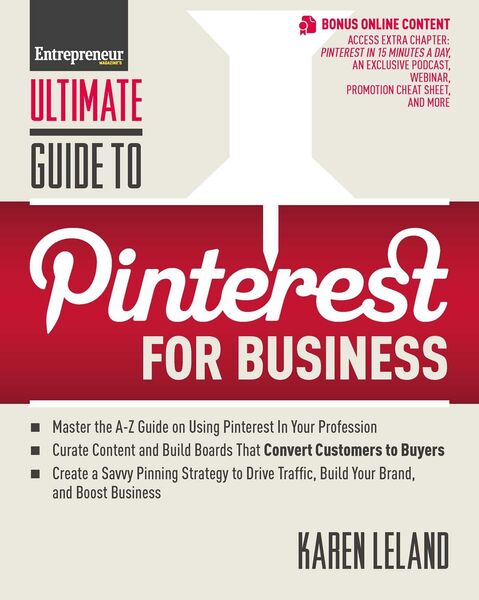
  • Produktbild: Ultimate Guide to Pinterest for Business
  • Produktbild: Ultimate Guide to Pinterest for Business

Ultimate Guide to Pinterest for Business

21,99 €

inkl. gesetzl. MwSt., Versandkostenfrei


Beschreibung

Produktdetails

Einband

Taschenbuch

Erscheinungsdatum

01.05.2013

Abbildungen

Illustrations

Verlag

Entrepreneur Press

Seitenzahl

190

Maße (L/B/H)

25,4/20,2/1,5 cm

Gewicht

424 g

Sprache

Englisch

ISBN

978-1-59918-508-8

Beschreibung

Produktdetails

Einband

Taschenbuch

Erscheinungsdatum

01.05.2013

Abbildungen

Illustrations

Verlag

Entrepreneur Press

Seitenzahl

190

Maße (L/B/H)

25,4/20,2/1,5 cm

Gewicht

424 g

Sprache

Englisch

ISBN

978-1-59918-508-8

Herstelleradresse

Libri GmbH
Europaallee 1
36244 Bad Hersfeld
DE

Email: gpsr@libri.de

Ein neues Kapitel für Ihre Bücher

Ein neues Kapitel für Ihre Bücher

Schenken Sie Ihren alten Schätzen ein zweites Leben und erhalten Sie dafür eine Thalia Geschenkkarte.

Jetzt verkaufen
Jetzt verkaufen

Noch keine Bewertungen vorhanden

Verfassen Sie die erste Bewertung zu diesem Artikel

Helfen Sie anderen Kundinnen und Kunden durch Ihre Meinung.

Kundinnen und Kunden meinen

Bewertungen (0)

Die Leseprobe wird geladen.
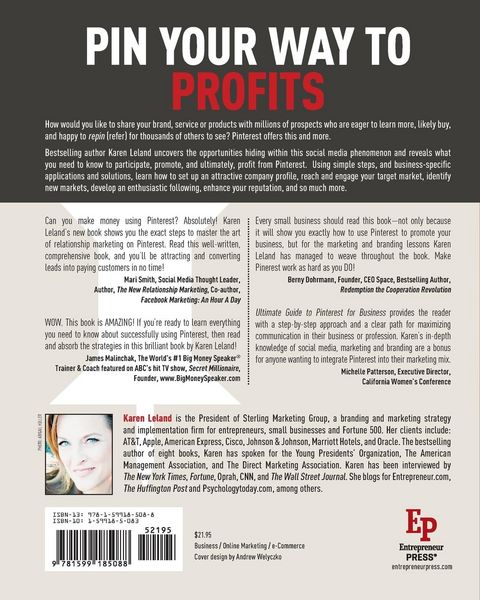
  • Produktbild: Ultimate Guide to Pinterest for Business
  • Produktbild: Ultimate Guide to Pinterest for Business
  • Acknowledgments xv
    PREFACE
    What Is Pinterest and Why Should You Care? xvii
    CHAPTER 1
    On Your Mark, Get Set, Join 1
    What Exactly Is a Pin? 2
    What Information Does a Pin Contain? 4
    Sign Me Up 4
    A Tour of the Pinterest Interface 6
    The Browsing Basics 9
    CHAPTER 2
    Create a Pinterest Profile That Rocks 11
    Creating an Individual Profile 12
    Creating a Business Profile 15
    Update Your Profile Anytime 18
    CHAPTER 3
    Strategize First, Pin Second 21
    Is Your Pinterest Mainly for Personal or Business Branding? 21
    Who’s Your Target Market? 23
    What Are Your Marketing Goals? 27
    CHAPTER 4
    Build Boards That Are On Brand 29
    14 Types of Business Boards Worth Creating 29
    How to Create a Board 36
    Naming Your Boards 37
    Categorize Your Boards for Clarity 41
    Go Solo or Invite Others to Play 42
    Make Your Board Private 43
    Describe Your Board 44
    Basic Care and Feeding of Your Boards 44
    CHAPTER 5
    Become a Content Creator and Curator:
    Pinning and Repinning 47
    What Should You Pin? 48
    Seek and Ye Shall Find: Where to Get Great Pins 50
    Shoot Your Own Images with a Smartphone 55
    The Mechanics of Pinning 69
    CHAPTER 6
    Pin Etiquette and Optimization 63
    Pin Purposefully 63
    Add Descriptions 64
    Pay Attention to Pin Placement 67
    Consider Color Psychology When Pinning 68
    Cross-Promote Your Pins with Other Social Media 69
    Credit Original Sources 71
    Respect Copyright 72
    CHAPTER 7
    Beyond Photos to Video, Podcasts, and Screencasting 75
    Ten Types of Videos to Pin 75
    Shoot Smart 81
    Post Thoughtfully, Brand Carefully, and Track Results 83
    Set Up Your Video to Drive Traffic Back to Your Site 85
    Pin SlideShare Presentations 85
    Pin Podcasts 86
    CHAPTER 8
    Make Your Website Pinterest Friendly 87
    Give Every Page and Post a Featured Image 87
    Meet Minimum Size Requirements 87
    Add Text 88
    Install the “Pin It” Button for Websites 88
    Use a WordPress Plugin 90
    Put Up a “Follow Me on Pinterest” Button 91
    CHAPTER 9
    Follow and Be Followed 93
    Finding People and Brands to Follow 94
    Building Up Your Pinterest Following 98
    26,000 Followers in Three Days 102
    CHAPTER 10
    Engage with the Pinterest Community:
    Liking, Hashtags, Commenting, and Tagging 107
    Liking 107
    Hashtags 108
    Commenting 109
    Tagging 114
    Engagement 2.0 114
    Price Tags on Pins 117
    Coupons 117
    QR Codes 118
    CHAPTER 11
    Me, You, and We: Collaborative Pinning
    and Your Pinterest Strategy 121
    Request Pins for a Specific Purpose 122
    Do a Blitz Pinning Campaign 122
    Hold a Pin Party 123
    Share Resources, Ideas, and Opinions 124
    Provide Content Guidelines 124
    Join a Board 124
    CHAPTER 12
    Pinterest on the Go: Mobile 127
    Navigating the Pinterest App 127
    CHAPTER 13
    Build Your Blog with Pinterest 131
    Pinterest Inspires Content 131
    Pinterest Can Drive New Readers to Your Blog 132
    Cheat Sheet for Bloggers 134
    Expand Your Blog Audience by Following Other Pinners 137
    Create a Blog Think Tank 137
    Network with Like-Minded Bloggers 138
    Research the Hot Trends 138
    Six Best Practices for Bloggers on Pinterest 138
    CHAPTER 14
    Your Profession on Pinterest: An A–Z Guide 141
    Accountants 141
    Actors and Other Performers 142
    Architects and Interior Designers 143
    Artists and Photographers 145
    Authors 146
    Coaches, Consultants, and Speakers 147
    Contractors and Construction Companies 148
    Dance, Theater, and Live Performance Companies 149
    Doctors, Dentists, Therapists, and Medical Professionals 150
    Filmmakers 151
    Landscape Architects and Gardeners 153
    Lawyers 153
    Real Estate Agents 155
    Retailers Online and Off 156
    Teachers 157
    Writers 158
    Zoos 160
    CHAPTER 15
    Pin Your Way to New Work: Job Hunting
    and Client Acquisition 161
    Create a Resume or Portfolio Board 161
    Make a Mock Job Interview Video 162
    Connect with Companies and Clients You Want to Work For 165
    Plan out Your Pins 165
    Pin with Panache 166
    Maximize Your Descriptions 168
    Keep Up with Career Experts 168
    Put the Word Out 168
    CHAPTER 16
    Track Your Pinterest Performance 171
    The Activity Tracker on Pinterest 171
    Google Analytics 172
    PinReach 172
    Curalate 172
    Reachli 173
    CHAPTER 17
    In Conclusion: Your Parting Party Gifts, and What’s Next? 175
    Claim Your Pinterest Party Gifts Online 175
    Please Stay in Touch 176
    Connect with Me on Social Media 176
    Pin This Book! 176
    Rent My Brain© 176
    Hire Me to Speak at Your Next Conference or Meeting 177
    A Three-Step Process to Implement What You Have Learned 177
    About the Author 179
    Index 181