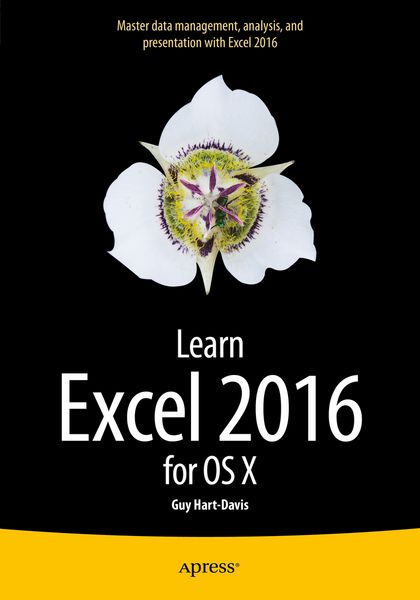
Produktbild: Learn Excel 2016 for OS X

Learn Excel 2016 for OS X

48,99 €

inkl. gesetzl. MwSt., Versandkostenfrei


Beschreibung

Produktdetails

Einband

Taschenbuch

Erscheinungsdatum

29.10.2015

Abbildungen

XXIV, 245 illus., schwarz-weiss Illustrationen

Verlag

APress

Seitenzahl

399

Maße (L/B/H)

25,4/17,8/2,4 cm

Gewicht

800 g

Auflage

2. Auflage

Sprache

Englisch

ISBN

978-1-4842-1020-8

Beschreibung

Rezension

“If your aim is to tinker with some of Excel’s not-so-common features, then this book is ideal for you and you won’t be disappointed. It follows a step-by-step, handheld approach to coach you into using the software; at the end of your study and practice, you should feel confident in handling the software with some expertise. … the book follows an easy-to-comprehend style. It is written from the perspective of a learner … .” (Amit Rudra, Computing Reviews, computingreviews.com, June, 2016)

Produktdetails

Einband

Taschenbuch

Erscheinungsdatum

29.10.2015

Abbildungen

XXIV, 245 illus., schwarz-weiss Illustrationen

Verlag

APress

Seitenzahl

399

Maße (L/B/H)

25,4/17,8/2,4 cm

Gewicht

800 g

Auflage

2. Auflage

Sprache

Englisch

ISBN

978-1-4842-1020-8

Herstelleradresse

Springer-Verlag GmbH
Tiergartenstr. 17
69121 Heidelberg
DE

Email: GPSR Kontakt

Ein neues Kapitel für Ihre Bücher

Ein neues Kapitel für Ihre Bücher

Schenken Sie Ihren alten Schätzen ein zweites Leben und erhalten dafür eine Thalia Geschenkkarte.

Jetzt verkaufen
Jetzt verkaufen

Noch keine Bewertungen vorhanden

Verfassen Sie die erste Bewertung zu diesem Artikel

Helfen Sie anderen Kundinnen und Kunden durch Ihre Meinung.

Kundinnen und Kunden meinen

Bewertungen (0)

  • Produktbild: Learn Excel 2016 for OS X
  • Part 1: Becoming Proficient with Excel for Mac

    Chapter 1: Learning the Secrets of the Excel for Mac Interface

    Chapter 2: Configuring Excel to Suit the Way You Work

    Chapter 3: Creating Effective Workbooks and Templates

    Chapter 4: Formatting Your Worksheets Quickly and Efficiently

    Part 2: Perforating Calculations and Presenting Data

    Chapter 5: Performing Custom Calculations with Formulas

    Chapter 6: Using Excel’s Built-In Functions

    Chapter 7: Creating Clear and Persuasive Charts

    Chapter 8: Using Data Bars, Color Scales, Icon Sets, and Sparklines

    Chapter 9: Illustrating Your Worksheets with Pictures, SmartArt, and More

    Part 3: Analyzing Data and Sharing and Automating Workbooks

    Chapter 10: Creating Databases Using Tables

    Chapter 11: Solving Business Questions with What-It Analysis, Goal Seek, and Solver

    Chapter 12: Analyzing Data with PivotTables

    Chapter 13: Collaborating and Sharing with Macs and Windows PCs