
Mac OS X for Absolute Beginners
-
- Taschenbuch ausgewählt
- eBook
-
Sprache:Englisch
36,99 €
inkl. gesetzl. MwSt.,
Beschreibung
Produktdetails
Einband
Taschenbuch
Erscheinungsdatum
08.06.2016
Abbildungen
XXIX, 490 p. 402 illus., 386 illus. in color.
Verlag
ApressSeitenzahl
490
Maße (L/B/H)
25,4/17,8/2,9 cm
Gewicht
974 g
Auflage
1st ed.
Sprache
Englisch
ISBN
978-1-4842-1912-6
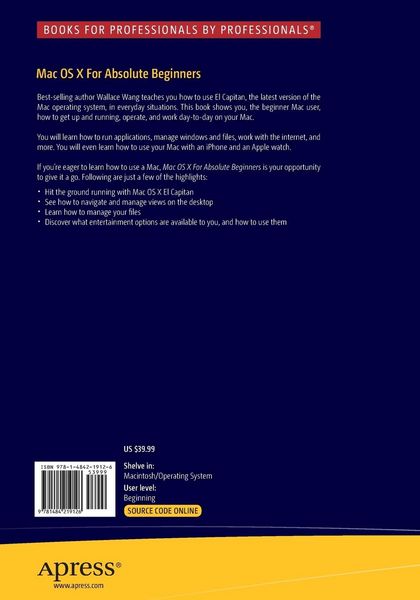
Best-selling author Wallace Wang teaches you how to use El Capitan, the latest version of the Mac operating system, in everyday situations. This book shows you, the beginner Mac user, how to get up and running, operate, and work day-to-day on your Mac. You will learn how to run applications, manage windows and files, work with the internet, and more. You will even learn how to use your Mac with an iPhone and an Apple watch.
If you've ever felt that you couldn't learn how to use a Mac, this is your opportunity to give it a go.
What you’ll learn
How to get up and running with Mac OS X El Capitan
How to navigate and manage views
How to manage your files
What entertainment options are available to you, and how to use them
How to maintain your Mac
- How to work with iPhone and Apple watch.
Who This Book Is For
Anyone who wants to learn how to use OS X El Capitan. No previous experience is required.
Ein neues Kapitel für Ihre Bücher
Ein neues Kapitel für Ihre Bücher
Schenken Sie Ihren alten Schätzen ein zweites Leben und erhalten dafür eine Thalia Geschenkkarte.
Noch keine Bewertungen vorhanden
Verfassen Sie die erste Bewertung zu diesem Artikel
Helfen Sie anderen Kundinnen und Kunden durch Ihre Meinung.
Kurze Frage zu unserer Seite
Vielen Dank für Ihr Feedback
Wir nutzen Ihr Feedback, um unsere Produktseiten zu verbessern. Bitte haben Sie Verständnis, dass wir Ihnen keine Rückmeldung geben können. Falls Sie Kontakt mit uns aufnehmen möchten, können Sie sich aber gerne an unseren Kund*innenservice wenden.
zum Kundenservice