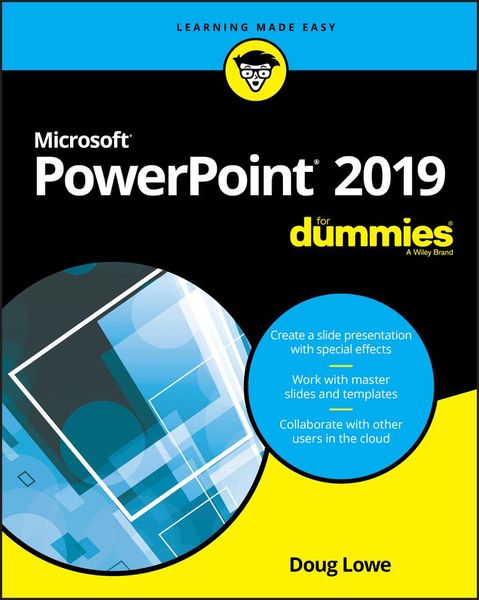
PowerPoint 2019 for Dummies
-
- Taschenbuch ausgewählt
- eBook
-
Sprache:Englisch
28,99 €
inkl. gesetzl. MwSt.,
Beschreibung
Produktdetails
Einband
Taschenbuch
Erscheinungsdatum
16.10.2018
Verlag
John Wiley & Sons IncSeitenzahl
368
Maße (L/B/H)
23,3/18,9/2,2 cm
Gewicht
619 g
Auflage
1. Auflage
Sprache
Englisch
ISBN
978-1-119-51422-0
PowerPoint continues to be the go-to tool for business presentations. The software helps anyone who needs to communicate clearly by creating powerful and effective slideshow presentations featuring data in the form of charts, clip art, sound, and video. You can even use it to create presentations for the Web.
In PowerPoint 2019 For Dummies, expert Doug Lowe shows you how to use this popular tool to make show-stopping presentations that will get your message across -- and your audience excited.
* Create a slide presentation with special effects
* Work with master slides and templates
* Collaborate with other users in the cloud
* Add charts, clip art, sound, and video
Want to learn to use PowerPoint quickly and efficiently? Look no further!
Ein neues Kapitel für Ihre Bücher
Ein neues Kapitel für Ihre Bücher
Schenken Sie Ihren alten Schätzen ein zweites Leben und erhalten dafür eine Thalia Geschenkkarte.
Noch keine Bewertungen vorhanden
Verfassen Sie die erste Bewertung zu diesem Artikel
Helfen Sie anderen Kundinnen und Kunden durch Ihre Meinung.
Kurze Frage zu unserer Seite
Vielen Dank für Ihr Feedback
Wir nutzen Ihr Feedback, um unsere Produktseiten zu verbessern. Bitte haben Sie Verständnis, dass wir Ihnen keine Rückmeldung geben können. Falls Sie Kontakt mit uns aufnehmen möchten, können Sie sich aber gerne an unseren Kund*innenservice wenden.
zum Kundenservice