












































KI-Beratung Beta

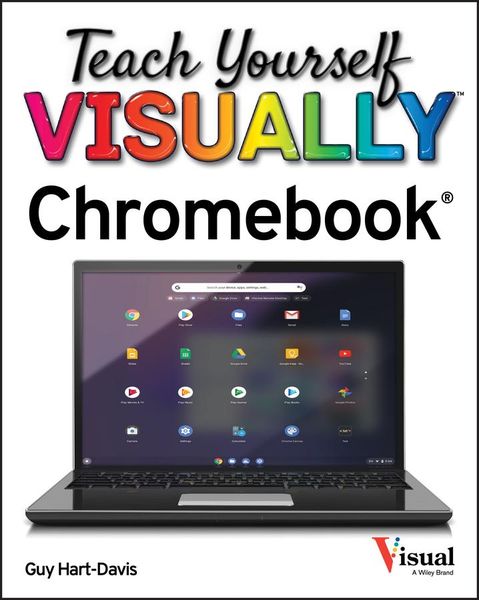
Produktbild: Teach Yourself Visually Chromebook

Teach Yourself Visually Chromebook

27,99 €

inkl. gesetzl. MwSt., Versandkostenfrei


Beschreibung

Teach Yourself VISUALLY Chromebook is your ultimate guide to getting the most out of your Chromebook!   Designed for ease of use and portable functionality, Chromebook is the device of choice for children, teens, and adults alike. Learn to setup and use your new Chromebook by configuring essential settings...

Beschreibung

Teach Yourself VISUALLY Chromebook is your ultimate guide to getting the most out of your Chromebook!
 
Designed for ease of use and portable functionality, Chromebook is the device of choice for children, teens, and adults alike. Learn to setup and use your new Chromebook by configuring essential settings and connecting external devices.
 
When you first open your Chromebook, you'll see several app icons sitting at the bottom of the screen. This area is called the Shelf, and it mimics the Windows taskbar. The Chrome OS Shelf shows which apps are running and provides an easy way to launch apps. To make the Chromebook your own you'll want to add your commonly used apps to the Shelf, and remove the ones you don't use.
 
This guide will also teach you tips and tricks for how to share content with others from your Chromebook and how to download, run, and manage your applications!
 
Chromebook is designed to be one of the most feature-rich and user-friendly solutions that allows users the portable functionality of a laptop and tablet running Chrome OS with the ability to run Android apps and Linux desktop apps.
* Get started with Chromebook with over 800 full-color images
* Master ChromeOS and get up and running in no time
* Personalize your desktop background

Produktdetails

Einband

Taschenbuch

Erscheinungsdatum

24.11.2020

Verlag John Wiley & Sons Inc
Seitenzahl

352

Produktdetails

Einband

Taschenbuch

Erscheinungsdatum

24.11.2020

Verlag John Wiley & Sons Inc
Seitenzahl

352

Maße (L/B/H)

23,4/18,8/1,8 cm

Gewicht

703 g

Auflage

1. Auflage

Sprache

Englisch

ISBN

978-1-119-76296-6

Herstelleradresse

Libri GmbH
Europaallee 1
36244 Bad Hersfeld
DE

Email: gpsr@libri.de

Ein neues Kapitel für Ihre Bücher

Ein neues Kapitel für Ihre Bücher

Schenken Sie Ihren alten Schätzen ein zweites Leben und erhalten Sie dafür eine Thalia Geschenkkarte.

Jetzt verkaufen
Jetzt verkaufen

Noch keine Bewertungen vorhanden

Verfassen Sie die erste Bewertung zu diesem Artikel

Helfen Sie anderen Kundinnen und Kunden durch Ihre Meinung.

Kundinnen und Kunden meinen

Bewertungen (0)

Die Leseprobe wird geladen.
  • Produktbild: Teach Yourself Visually Chromebook
  • Chapter 1: Getting Started with Your Chromebook
    Chapter 2: Configuring Essential Chromebook Settings
    Chapter 3: Configure Accessibility Settings
    Chapter 4: Connect External Devices
    Chapter 5: Sharing Your Chromebook with Others
    Chapter 6: Running and Managing Apps
    Chapter 7: Managing Your Files and Folders
    Chapter 8: Surfing the Web
    Chapter 9: Sending and Receiving E-Mail
    Chapter 10: Chatting and Calling
    Chapter 11: Organizing your Life
    Chapter 12: Advanced Moves and Troubleshooting