














































KI-Beratung Beta

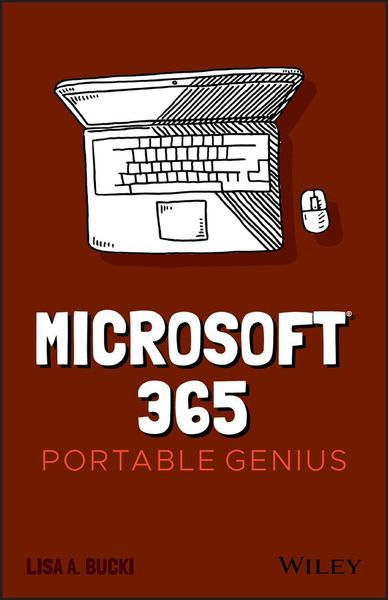
Produktbild: Microsoft 365 Portable Genius

Microsoft 365 Portable Genius

Aus der Reihe Portable Genius

17,99 €

inkl. gesetzl. MwSt., Versandkostenfrei


Beschreibung

Power up your proficiency with this genius guide to popular Microsoft 365 apps   Do you want to make your Microsoft 365 account a productivity behemoth? Do you want to squeeze every last bit of awesome from Word, Excel, and PowerPoint and learn a little more about Outlook, too? Microsoft 365 Portable Genius...

Beschreibung

Power up your proficiency with this genius guide to popular Microsoft 365 apps
 
Do you want to make your Microsoft 365 account a productivity behemoth? Do you want to squeeze every last bit of awesome from Word, Excel, and PowerPoint and learn a little more about Outlook, too? Microsoft 365 Portable Genius has got you covered. A seasoned tech expert and trainer, author Lisa A. Bucki shows you how to build Word documents, Excel workbooks, and PowerPoint presentations the right way, as well as how to use high-impact design techniques to make your documents pop.
 
This book answers 11 key questions about how to make the most of Microsoft 365, providing genius tips as it leads you through the essentials. You'll learn how to:
* Tackle common skills like creating files, adding basic content, navigating in a file, making selections, copying and moving content, and saving files
* Build a new Word document by using outlining, bullets and numbering, columns, and other features for creating and enhancing content
* Enhance Excel workbook files by organizing data on different sheets, filling entries, creating range names, and entering powerful, accurate formulas
* Develop a PowerPoint presentation by choosing the right layout for each slide and adding content to placeholders, and then transform it into an on-screen show with transitions and animations
* Add punchy design and branding by using text formatting, themes, and graphics in your files
* Use lists, tables, and charts to make data easier to interpret
* Create, send, reply to, and organize email in Outlook, as well as add contacts Share file contents on paper or digitally
* Check out the Online Bonus Appendix at Wiley for more genius coverage of topics including additional Excel formula review techniques, essential Excel functions, theme colors and fonts changes, and WordArt
 
Whether you have used Office in the past or are new to its subscription successor Microsoft 365, Microsoft 365 Portable Genius provides the expert guidance you need to work smarter in Microsoft 365.

Produktdetails

Einband

Taschenbuch

Erscheinungsdatum

03.02.2021

Verlag John Wiley & Sons
Seitenzahl

272

Produktdetails

Einband

Taschenbuch

Erscheinungsdatum

03.02.2021

Verlag John Wiley & Sons
Seitenzahl

272

Maße (L/B/H)

21,3/13,7/1,5 cm

Gewicht

295 g

Auflage

1. Auflage

Sprache

Englisch

ISBN

978-1-119-76367-3

Herstelleradresse

Libri GmbH
Europaallee 1
36244 Bad Hersfeld
DE

Email: gpsr@libri.de

Ein neues Kapitel für Ihre Bücher

Ein neues Kapitel für Ihre Bücher

Schenken Sie Ihren alten Schätzen ein zweites Leben und erhalten Sie dafür eine Thalia Geschenkkarte.

Jetzt verkaufen
Jetzt verkaufen

Noch keine Bewertungen vorhanden

Verfassen Sie die erste Bewertung zu diesem Artikel

Helfen Sie anderen Kundinnen und Kunden durch Ihre Meinung.

Kundinnen und Kunden meinen

Bewertungen (0)

Die Leseprobe wird geladen.
  • Produktbild: Microsoft 365 Portable Genius
  • About the Author iii
     
    Acknowledgments v
     
    Introduction xi
     
    Chapter 1 How Do I Start Using Microsoft 365? 2
     
    Starting and Exiting an App 4
     
    Taking a Look Around 6
     
    Reviewing key screen features 6
     
    Changing views 8
     
    Zooming 10
     
    Working with Files 11
     
    Creating a blank file 11
     
    Exploring templates 12
     
    Opening an existing file 14
     
    Switching to another file 15
     
    Typing in a Word Document 17
     
    Making Your First Cell Entries in Excel 19
     
    Exploring the Excel screen 19
     
    Moving around the sheet 21
     
    Adding text and values 22
     
    Adding dates and times 23
     
    Number formatting on the fly 24
     
    Adding Slide Content in PowerPoint 26
     
    Making and Working with Selections 27
     
    Selecting content in Word 27
     
    Selecting content in Excel 28
     
    Selecting content in PowerPoint 30
     
    Copying or moving a selection 31
     
    Refining Your Content 33
     
    Spell checking your work 34
     
    Using Find and Replace 36
     
    Saving and Closing a File 37
     
    Chapter 2 How Do I Develop Document Content in Word? 40
     
    Using Outlining to Organize Your Thoughts 42
     
    More on Navigating, Selecting, and Editing in Word 44
     
    Creating Bulleted and Numbered Lists 47
     
    Working with Tabs and Indent Settings 49
     
    Setting tab stops 50
     
    Setting indents 52
     
    Working with Line, Page, and Section Breaks 54
     
    Creating Columns of Text 56
     
    Using Review Tools to Improve Your Writing 57
     
    Getting word suggestions from the Thesaurus 58
     
    Tracking changes and commenting 58
     
    Chapter 3 How Do I Make Changes in Excel? 62
     
    Working with Sheets 64
     
    Adding, renaming, and jumping to a sheet 64
     
    Moving or copying a sheet 65
     
    Cell Editing Basics 66
     
    Making changes 66
     
    Clearing cell contents 67
     
    Using Auto Fill and Filling Series 68
     
    Inserting and Deleting Rows, Columns, and Cells 71
     
    Working with Column Width and Row Height 73
     
    Creating Range Names 75
     
    Using the Name box 76
     
    Using the New Name dialog box 77
     
    Deleting a range name 78
     
    Freezing Rows and Columns On-Screen 79
     
    Chapter 4 How Do I Do Math with Excel Formulas and Functions? 82
     
    Entering a Basic Formula 84
     
    Typing the formula 84
     
    Cell and range references in formulas 85
     
    Using the mouse to save time 86
     
    Dealing with minor errors 88
     
    Learning More About Operators and Order of Precedence 88
     
    Reviewing operators in Excel 89
     
    Understanding how order of precedence works 91
     
    Using parentheses in formulas 93
     
    Making a Cell or Range Reference Absolute Rather Than Relative 94
     
    Changing the reference type in a formula 94
     
    How referencing works when filling, copying, or moving a formula 95
     
    Understanding and Using Functions 97
     
    Using AutoSum on the Home or Formulas tab 98
     
    Typing a function in a formula 101
     
    Using the Formulas tab to insert a function 103
     
    Using Range Names in Formulas 107
     
    Chapter 5 How Do I Create a PowerPoint Presentation? 110
     
    Understanding Slide Layouts 112
     
    Adding Slides 114
     
    Rearranging and Deleting Slides 116
     
    Working with Content Placeholders 117
     
    Regular content 117
     
    Speaker notes 119
     
    Editing Slide Content 120
     
    Changing Slide Size or Background 121
     
    Preparing and Playi