















































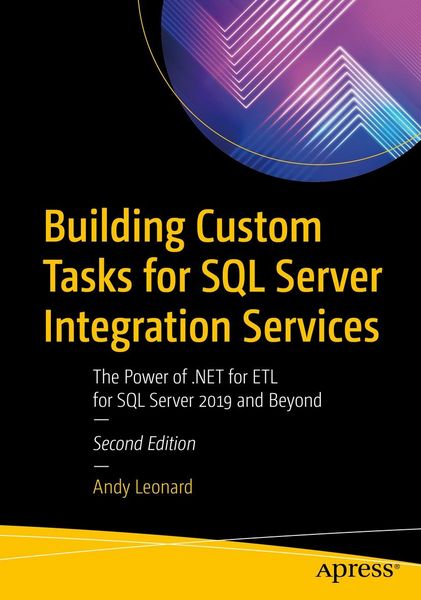
Building Custom Tasks for SQL Server Integration Services The Power of .NET for ETL for SQL Server 2019 and Beyond
-
- Taschenbuch
- eBook ausgewählt
-
Form:Einzelkauf Download
-
Sprache:Englisch
-
Verlag:Apress
- APress 26,99 €
- Apress 46,99 € ausgewählt
46,99 €
inkl. gesetzl. MwSt.Beschreibung
Produktdetails
Format
Kopierschutz
Nein
Family Sharing
Nein
Text-to-Speech
Nein
Erscheinungsdatum
17.02.2021
Verlag
ApressSeitenzahl
692 (Printausgabe)
Dateigröße
43560 KB
Sprache
Englisch
EAN
9781484264829
Build custom SQL Server Integration Services (SSIS) tasks using Visual Studio Community Edition and C#. Bring all the power of Microsoft .NET to bear on your data integration and ETL processes, and for no added cost over what you've already spent on licensing SQL Server. New in this edition is a demonstration deploying a custom SSIS task to the Azure Data Factory (ADF) Azure-SSIS Integration Runtime (IR).
All examples in this new edition are implemented in C#. Custom task developers are shown how to implement custom tasks using the widely accepted and default language for .NET development.
Why are custom components necessary? Because even though the SSIS catalog of built-in tasks and components is a marvel of engineering, gaps remain in the available functionality. One such gap is a constraint of the built-in SSIS Execute Package Task, which does not allow SSIS developers to select SSIS packages from other projects in the SSIS Catalog. Examples in this bookshow how to create a custom Execute Catalog Package task that allows SSIS developers to execute tasks from other projects in the SSIS Catalog. Building on the examples and patterns in this book, SSIS developers may create any task to which they aspire, custom tailored to their specific data integration and ETL needs.
What You Will Learn
- Configure and execute Visual Studio in the way that best supports SSIS task development
- Create a class library as the basis for an SSIS task, and reference the needed SSIS assemblies
- Properly sign assemblies that you create in order to invoke them from your task
- Implement source code control via Azure DevOps, or your own favorite tool set
- Troubleshoot and execute custom tasks as part of your own projects
- Create deployment projects (MSIs) for distributing code-complete tasks
- Deploy custom tasks to Azure Data Factory Azure-SSIS IRs in the cloud
- Create advanced editors for custom task parameters
Noch keine Bewertungen vorhanden
Verfassen Sie die erste Bewertung zu diesem Artikel
Helfen Sie anderen Kundinnen und Kunden durch Ihre Meinung.
Kurze Frage zu unserer Seite
Vielen Dank für Ihr Feedback
Wir nutzen Ihr Feedback, um unsere Produktseiten zu verbessern. Bitte haben Sie Verständnis, dass wir Ihnen keine Rückmeldung geben können. Falls Sie Kontakt mit uns aufnehmen möchten, können Sie sich aber gerne an unseren Kund*innenservice wenden.
zum Kundenservice