















































KI-Beratung Beta

Gutscheinbedingungen

Gültig bis 30.11.2026 | Gültig für nicht preisgebundene fremdsprachige Bücher | Einzelne Artikel können ausgeschlossen sein | Online auf thalia.de und in der Thalia App einlösbar | Click & Collect nur mit Online-Zahlung (Paypal/Kreditkarte) vorab | Nicht kombinierbar mit anderen Gutscheinen oder Preisaktionen | Nur einmal pro Einkauf einlösbar | Gutschein wird auf max. 500€ Bestellwert angerechnet | Keine Barauszahlung | Nicht gültig für Versandkosten und Services

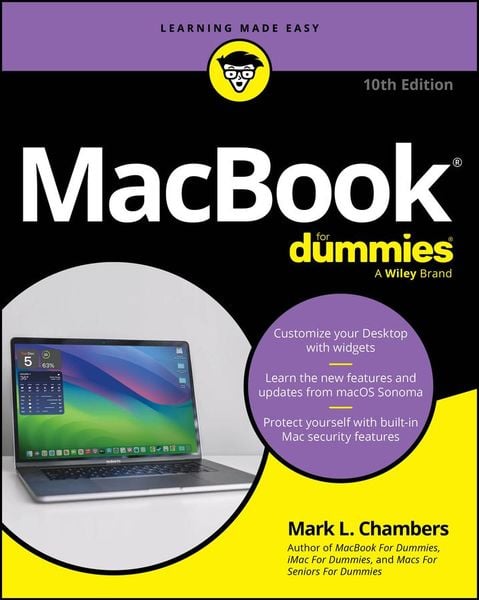
Produktbild: Macbook for Dummies

Macbook for Dummies

28,99 €

inkl. gesetzl. MwSt., Versandkostenfrei


Beschreibung

Discover the best tips and tricks for using your new Mac laptop

For years, MacBook For Dummies has been making it easy to learn new technology. This new edition keeps the easy-to-follow instructions coming. Learn the basics of customizing your Dock and using desktop widgets. Then, figure out how to...

Beschreibung

Discover the best tips and tricks for using your new Mac laptop

For years, MacBook For Dummies has been making it easy to learn new technology. This new edition keeps the easy-to-follow instructions coming. Learn the basics of customizing your Dock and using desktop widgets. Then, figure out how to go on the internet, stream music, send instant messages, and more. Expert author Mark Chambers will show you how to navigate the macOS operating system and personalize your MacBook to your liking. And you'll learn your way around features like Stage Manager, Continuity Camera, SharePlay, and Handoff. Is this your first new computer in a while? MacBook For Dummies gives you the rundown on how to exist without an internal DVD drive. Whether you're a newbie or a Mac veteran looking for insider tips, this is the quick start guide for you.

  • Learn the features and productivity tools from macOS
  • Stay protected by making the most of the built-in Mac security features
  • Organize your life with Mac's multitasking feature, Stage Manager
  • Discover how to stream music, edit videos, and share media content online

MacBook beginners and upgraders alike will graduate to power users of the MacBook Pro and MacBook Air models, thanks to this trusted Dummies title.

Produktdetails

Einband

Taschenbuch

Erscheinungsdatum

12.06.2024

Verlag Wiley
Seitenzahl

432

Produktdetails

Einband

Taschenbuch

Erscheinungsdatum

12.06.2024

Verlag Wiley
Seitenzahl

432

Maße (L/B/H)

23/18,6/2,6 cm

Gewicht

606 g

Auflage

10th edition

Sprache

Englisch

ISBN

978-1-394-25274-9

Herstelleradresse

Libri GmbH
Europaallee 1
36244 Bad Hersfeld
DE

Email: gpsr@libri.de

Ein neues Kapitel für Ihre Bücher

Ein neues Kapitel für Ihre Bücher

Schenken Sie Ihren alten Schätzen ein zweites Leben und erhalten Sie dafür eine Thalia Geschenkkarte.

Jetzt verkaufen
Jetzt verkaufen

Noch keine Bewertungen vorhanden

Verfassen Sie die erste Bewertung zu diesem Artikel

Helfen Sie anderen Kundinnen und Kunden durch Ihre Meinung.

Kundinnen und Kunden meinen

Bewertungen (0)

Die Leseprobe wird geladen.
  • Produktbild: Macbook for Dummies
  • Introduction 1

    Part 1: Tie Myself Down with a Desktop? Preposterous! 5

    Chapter 1: Hey, It Really Does Have Everything I Need 7

    Chapter 2: Turning On Your Portable Powerhouse 27

    Chapter 3: The MacBook Owner's Introduction to macOS Sonoma 39

    Part 2: Shaking Hands with macOS Sonoma 83

    Chapter 4: What's New in Sonoma? 85

    Chapter 5: A Nerd's Guide to System Settings 91

    Chapter 6: Searching Amidst MacBook Chaos 117

    Chapter 7: Using Reminders, Notes, Notifications, Maps, and News 127

    Part 3: Connecting and Communicating 145

    Chapter 8: Let's Go on Safari! 147

    Chapter 9: Expanding Your Horizons with iCloud 169

    Chapter 10: Creating a Multiuser MacBook 177

    Chapter 11: Working Well with Networks 197

    Chapter 12: Hooking Up with Your World 215

    Part 4: Living the iLife 223

    Chapter 13: The Multimedia Joys of Music and TV 225

    Chapter 14: Focusing on Photos 247

    Chapter 15: Making Film History with iMovie 267

    Chapter 16: Recording Your Hits with GarageBand 289

    Part 5: Getting Productive and Maintaining Your MacBook 307

    Chapter 17: Desktop Publishing with Pages 309

    Chapter 18: Creating Spreadsheets with Numbers 323

    Chapter 19: Building Presentations with Keynote 341

    Chapter 20: When Good Mac Laptops Go Bad 355

    Chapter 21: Tackling the Housekeeping 369

    Part 6: The Part of Tens 383

    Chapter 22: Ten (Plus) Laptop Rules to Follow 385

    Chapter 23: Ten Things to Avoid Like the Plague 395

    Index 403