















































KI-Beratung Beta

Gutscheinbedingungen

Gültig bis 30.11.2026 | Gültig für nicht preisgebundene fremdsprachige Bücher | Einzelne Artikel können ausgeschlossen sein | Online auf thalia.de und in der Thalia App einlösbar | Click & Collect nur mit Online-Zahlung (Paypal/Kreditkarte) vorab | Nicht kombinierbar mit anderen Gutscheinen oder Preisaktionen | Nur einmal pro Einkauf einlösbar | Gutschein wird auf max. 500€ Bestellwert angerechnet | Keine Barauszahlung | Nicht gültig für Versandkosten und Services

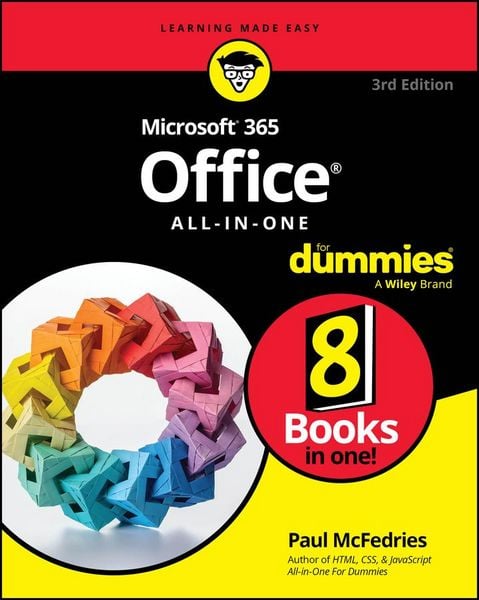
Produktbild: Microsoft 365 Office All-In-One for Dummies

Microsoft 365 Office All-In-One for Dummies

39,99 €

inkl. gesetzl. MwSt., Versandkostenfrei


Beschreibung

Supercharge your productivity at the office and at home

Looking to familiarize yourself with the world's most popular and effective productivity apps? Then look no further than the latest edition of Office 365 All-in-One For Dummies, packed with 9 mini-books covering each of the super-apps included...

Beschreibung

Supercharge your productivity at the office and at home

Looking to familiarize yourself with the world's most popular and effective productivity apps? Then look no further than the latest edition of Office 365 All-in-One For Dummies, packed with 9 mini-books covering each of the super-apps included in the famous productivity suite from Microsoft. In the books, you'll get a handle on Word, Excel, PowerPoint, Outlook, Teams, Access, and more.

This convenient and authoritative collection will walk you through how to create and edit text documents in Word, make new spreadsheets in Excel, and set up virtual meetings in Teams. You'll also learn how to:

  • Use pro-level keyboard shortcuts and speed techniques to accelerate your productivity
  • Use Microsoft's new AI-powered Copilot to get help and even write and edit your documents
  • Leverage SharePoint and OneDrive to share documents and collaborate remotely with colleagues

Office 365 All-in-One For Dummies is the first and last resource you'll need to reach for when you've got a question about Microsoft's ubiquitous productivity tools. It's perfect for newbies looking to get started and power users looking for fresh tips on the latest features. Grab your copy today!

Produktdetails

Einband

Taschenbuch

Erscheinungsdatum

11.03.2025

Verlag Wiley
Seitenzahl

928

Produktdetails

Einband

Taschenbuch

Erscheinungsdatum

11.03.2025

Verlag Wiley
Seitenzahl

928

Maße (L/B/H)

23,4/18,6/5 cm

Gewicht

1240 g

Auflage

3rd edition

Sprache

Englisch

ISBN

978-1-394-29505-0

Herstelleradresse

Libri GmbH
Europaallee 1
36244 Bad Hersfeld
DE

Email: gpsr@libri.de

Ein neues Kapitel für Ihre Bücher

Ein neues Kapitel für Ihre Bücher

Schenken Sie Ihren alten Schätzen ein zweites Leben und erhalten Sie dafür eine Thalia Geschenkkarte.

Jetzt verkaufen
Jetzt verkaufen

Noch keine Bewertungen vorhanden

Verfassen Sie die erste Bewertung zu diesem Artikel

Helfen Sie anderen Kundinnen und Kunden durch Ihre Meinung.

Kundinnen und Kunden meinen

Bewertungen (0)

Die Leseprobe wird geladen.
  • Produktbild: Microsoft 365 Office All-In-One for Dummies
  • Introduction 1 

    Book 1: Common Office Tasks 5 

    Chapter 1: Getting Your Bearings 7 

    Chapter 2: Populating Documents with Text 27 

    Chapter 3: Becoming Enviously Efficient 47 

    Chapter 4: Making Office 365 Your Own 55 

    Chapter 5: Handling Graphics and Photos 69 

    Book 2: Word 365 97 

    Chapter 1: Getting Up to Speed with Word 99 

    Chapter 2: Laying Out Pages Just So 117 

    Chapter 3: Making Looking Good Look Easy: Styles 141 

    Chapter 4: Building a Table with Your Bare Hands 159 

    Chapter 5: Polishing Your Prose 181 

    Chapter 6: Designing Fancy-Schmancy Documents 201 

    Chapter 7: Printing Envelopes and Labels 219 

    Chapter 8: Advanced (But Useful) Document Design 233 

    Chapter 9: Writing and Editing with Copilot at Your Side 263 

    Book 3: Excel 365 277 

    Chapter 1: Excel: The 50-Cent Tour 279 

    Chapter 2: Sprucing Up a Worksheet 307 

    Chapter 3: Fiddling with Your Worksheets 319 

    Chapter 4: Taming Your Worksheets 337 

    Chapter 5: Building Basic Formulas 359 

    Chapter 6: Analyzing Data 387 

    Chapter 7: Visualizing Data with Charts 409 

    Chapter 8: Automating Excel with Copilot 427 

    Book 4: PowerPoint 365 447 

    Chapter 1: Putting Together a PowerPoint Presentation 449 

    Chapter 2: Formatting Slides 481 

    Chapter 3: Creating Dynamic Presentations 505 

    Chapter 4: Delivering a Presentation 523 

    Book 5: Outlook 365 537 

    Chapter 1: Sending and Receiving Email 539 

    Chapter 2: Managing Your Contacts 567 

    Chapter 3: Keeping Track of Appointments 581 

    Book 6: Access 365 601 

    Chapter 1: Forging Databases and Tables 603 

    Chapter 2: Entering, Sorting, and Filtering Data 637 

    Chapter 3: Querying Data 661 

    Book 7: Microsoft Teams 691 

    Chapter 1: Getting around in Teams 693 

    Chapter 2: Getting Up to Speed with Teams and Channels 719 

    Chapter 3: Chin-wagging with Channels and Chats 739 

    Chapter 4: Fiddling with Files in Teams 763 

    Chapter 5: Getting Together for Online Meetings 777 

    Book 8: File Sharing and Collaborating 803 

    Chapter 1: Sharing Files 805 

    Chapter 2: Making the Most of OneDrive 821 

    Chapter 3: Collaborating in SharePoint 833 

    Chapter 4: Collaborating on Documents 861 

    Index 883