










































KI-Beratung Beta

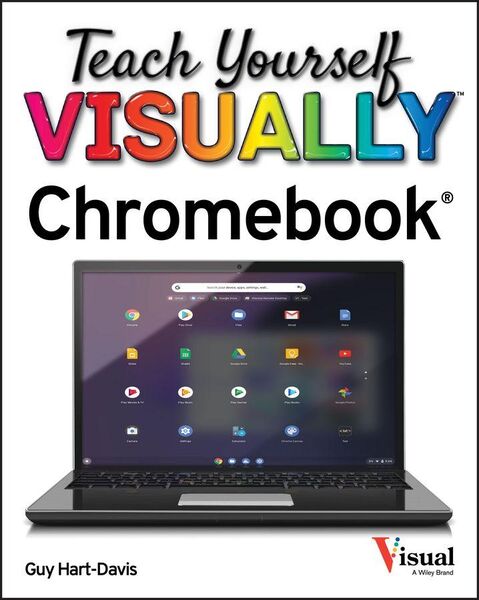
Produktbild: Teach Yourself VISUALLY Chromebook

Teach Yourself VISUALLY Chromebook

19,99 €

inkl. gesetzl. MwSt.

Beschreibung

Teach Yourself VISUALLY Chromebook is your ultimate guide to getting the most out of your Chromebook! Designed for ease of use and portable functionality, Chromebook is the device of choice for children, teens, and adults alike. Learn to setup and use your new Chromebook by configuring essential settings...

Beschreibung

Teach Yourself VISUALLY Chromebook is your ultimate guide to getting the most out of your Chromebook!
Designed for ease of use and portable functionality, Chromebook is the device of choice for children, teens, and adults alike. Learn to setup and use your new Chromebook by configuring essential settings and connecting external devices.

When you first open your Chromebook, you'll see several app icons sitting at the bottom of the screen. This area is called the Shelf, and it mimics the Windows taskbar. The Chrome OS Shelf shows which apps are running and provides an easy way to launch apps. To make the Chromebook your own you'll want to add your commonly used apps to the Shelf, and remove the ones you don't use.

This guide will also teach you tips and tricks for how to share content with others from your Chromebook and how to download, run, and manage your applications!

Chromebook is designed to be one of the most feature-rich and user-friendly solutions that allows users the portable functionality of a laptop and tablet running Chrome OS with the ability to run Android apps and Linux desktop apps.

  • Get started with Chromebook with over 800 full-color images
  • Master ChromeOS and get up and running in no time
  • Personalize your desktop background

Produktdetails

Format

PDF

Kopierschutz

Ja

Family Sharing

Nein

Text-to-Speech

Nein

Produktdetails

Format

PDF

Format

eBooks im PDF-Format haben eine festgelegte Seitengröße und eignen sich daher nur bedingt zum Lesen auf einem tolino eReader oder Smartphone. Für den vollen Lesegenuss empfehlen wir Ihnen bei PDF-eBooks die Verwendung eines Tablets oder Computers.

Kopierschutz

Ja

Kopierschutz

Zum Lesen dieses eBooks auf Geräten der tolino Familie sowie auf sonstigen eReadern und am PC benötigen Sie eine ByteBook-ID. Weitere Hinweise zum Lesen von kopiergeschützten eBooks finden Sie unter Hilfe/Downloads.

Family Sharing

Nein

Family Sharing

Mit Family Sharing können Sie eBooks innerhalb Ihrer Familie (max. sechs Mitglieder im gleichen Haushalt) teilen. Sie entscheiden selbst, welches Buch Sie mit welchem Familienmitglied teilen möchten. Auch das parallele Lesen durch verschiedene Familienmitglieder ist durch Family Sharing möglich. Um eBooks zu teilen oder geteilt zu bekommen, muss jedes Familienmitglied ein Konto bei Thalia oder einem anderen tolino-Buchhändler haben. Weitere Informationen finden Sie unter Hilfe/Family-Sharing.

Text-to-Speech

Nein

Text-to-Speech

Bedeutet Ihnen Stimme mehr als Text? Mit der Funktion Text-to-Speech können Sie sich im tolino webReader und in der aktuellen Thalia – Lesen & Hören App das eBook vorlesen lassen. Weitere Informationen finden Sie unter Hilfe/Text-to-Speech.

Erscheinungsdatum

21.10.2020

Verlag Wiley
Seitenzahl

352 (Printausgabe)

Dateigröße

105178 KB

Auflage

1. Auflage

Sprache

Englisch

EAN

9781119762973

Barrierefreiheit
  • keine Information zur Barrierefreiheit bekannt

Noch keine Bewertungen vorhanden

Verfassen Sie die erste Bewertung zu diesem Artikel

Helfen Sie anderen Kundinnen und Kunden durch Ihre Meinung.

Kundinnen und Kunden meinen

Bewertungen (0)

Weitere Artikel finden Sie in

Die Leseprobe wird geladen.
  • Produktbild: Teach Yourself VISUALLY Chromebook